







One of the more common complaints when implementing Microsoft Dynamics 365 for Finance and Operations (D365FO) is printing. Historically D365FO has required the installation of the “Document routing agent”—an application (or service) that runs on your local network and essentially links your cloud-based D365FO system to your local printers. You do this by installing the printers as network printers on a server on your local network, and the document routing agent receives print jobs from the cloud and routes those to a printer.
Common complaints include the need for a local component to be installed when running a fully cloud based system as well as the requirement to have printers installed on the agent as network printers. The latter can be an issue since a lot of users have printers at their desk plugged in via USB.
The new embedded viewer solves these issues by displaying documents inline in the browser, using an embedded PDF viewer. Major benefits include the screen render, which matches the printed document exactly, as both are drawn from the same PDF, and the ability to print to any printer connected to the user’s computer.
The following documentation explains how to enable this feature: https://docs.microsoft.com/en-us/dynamics365/unified-operations/dev-itpro/analytics/preview-pdf-documents
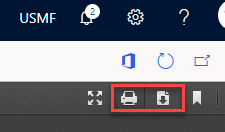
Once enabled, all documents will display inside the PDF viewer in your browser. On the far right, you will notice four icons. The most relevant to us are the print and download icons.
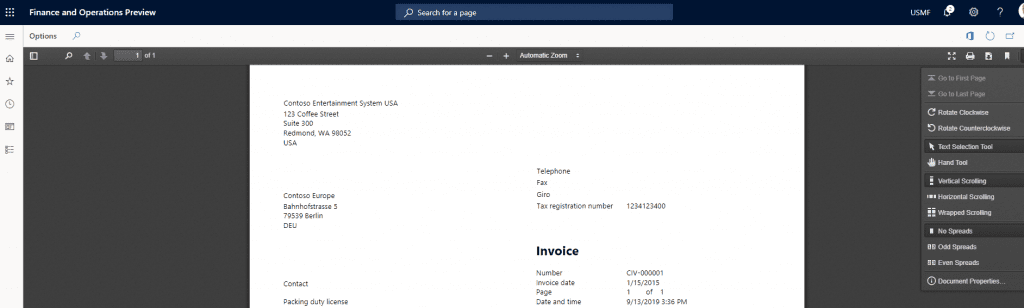
Print will open the standard Windows printer dialog (or standard browser print dialog), and let you print to any printer available, just as you would from Word. Download is also a useful option, and as expected, downloads the PDF document to your PC.
Have any questions about how to use the embedded printer functionality? Don’t hesitate to reach out to one of our Dynamics 365 experts at any time!
This publication contains general information only and Sikich is not, by means of this publication, rendering accounting, business, financial, investment, legal, tax, or any other professional advice or services. This publication is not a substitute for such professional advice or services, nor should you use it as a basis for any decision, action or omission that may affect you or your business. Before making any decision, taking any action or omitting an action that may affect you or your business, you should consult a qualified professional advisor. In addition, this publication may contain certain content generated by an artificial intelligence (AI) language model. You acknowledge that Sikich shall not be responsible for any loss sustained by you or any person who relies on this publication.