







Most applications today use restful web services to communicate with each other. Sometimes, however, we are required to work with SOAP web services.
Azure Logic Apps has the ability to connect to custom web services using a Logic Apps Custom Connector.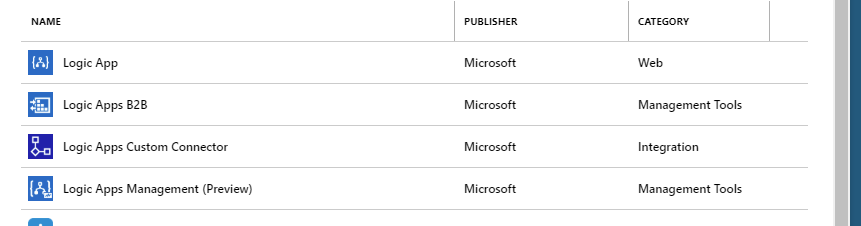
When configuring a custom connector for use with SOAP, there are two options: SOAP to REST and SOAP pass-through. If your web service is “flat” and relatively simple, you can try using SOAP to REST. If there are tiers, you will have to use SOAP pass-Through. Let’s take a look at SOAP to REST first.
SOAP to REST
Using SOAP to REST is fairly straightforward. You can upload a WSDL from a file or a URL.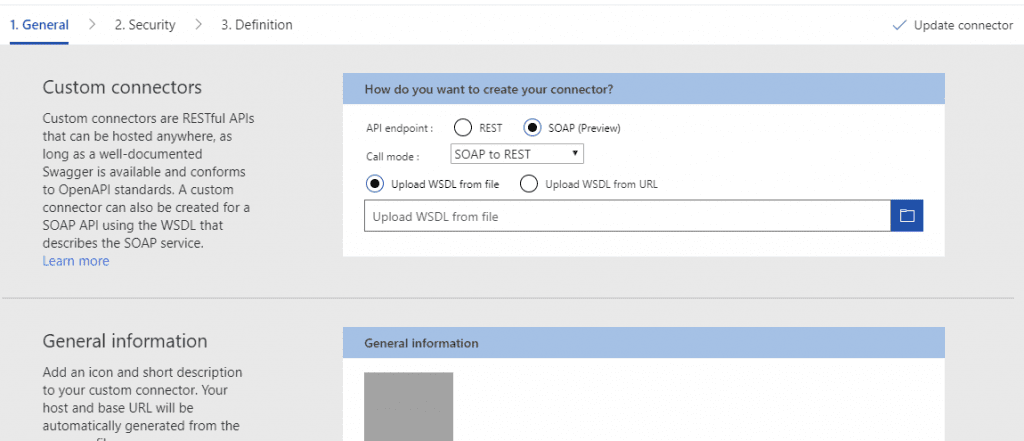
Once the WSDL is loaded, the remaining pieces of the connector are automatically filled in for you, including each of the actions defined in the WSDL.
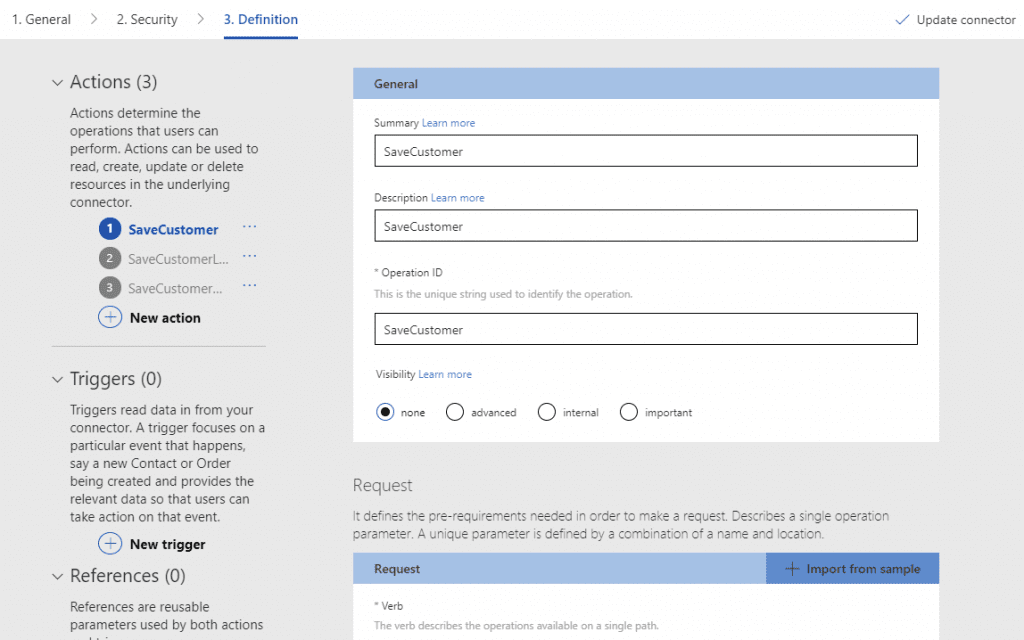
For simple web services, that is pretty much it and you are good to go.
SOAP Pass-through
However, if you are using SOAP pass-through, this is where it gets a little trickier. You will have to configure the action manually.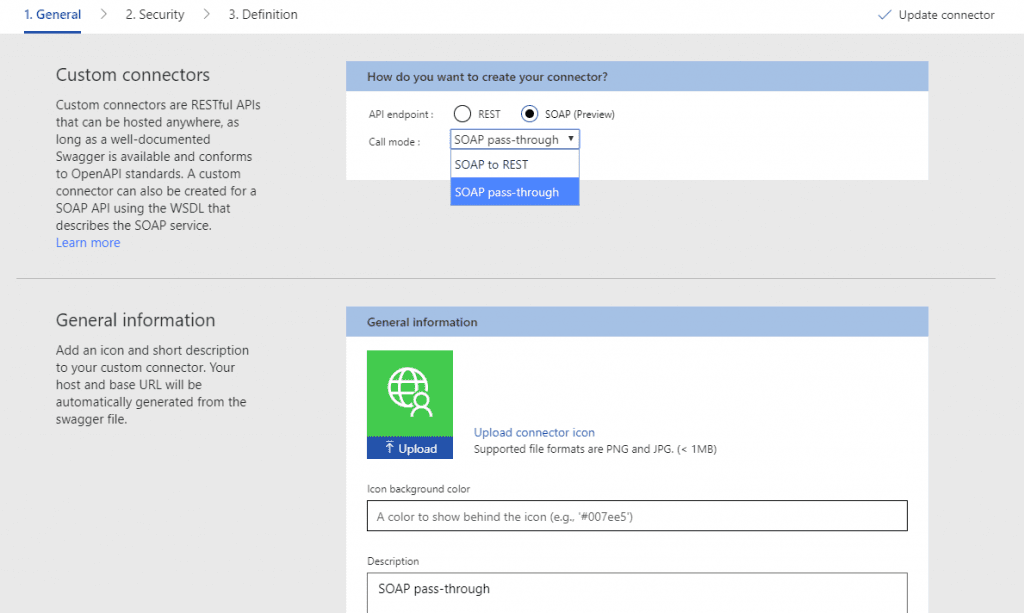
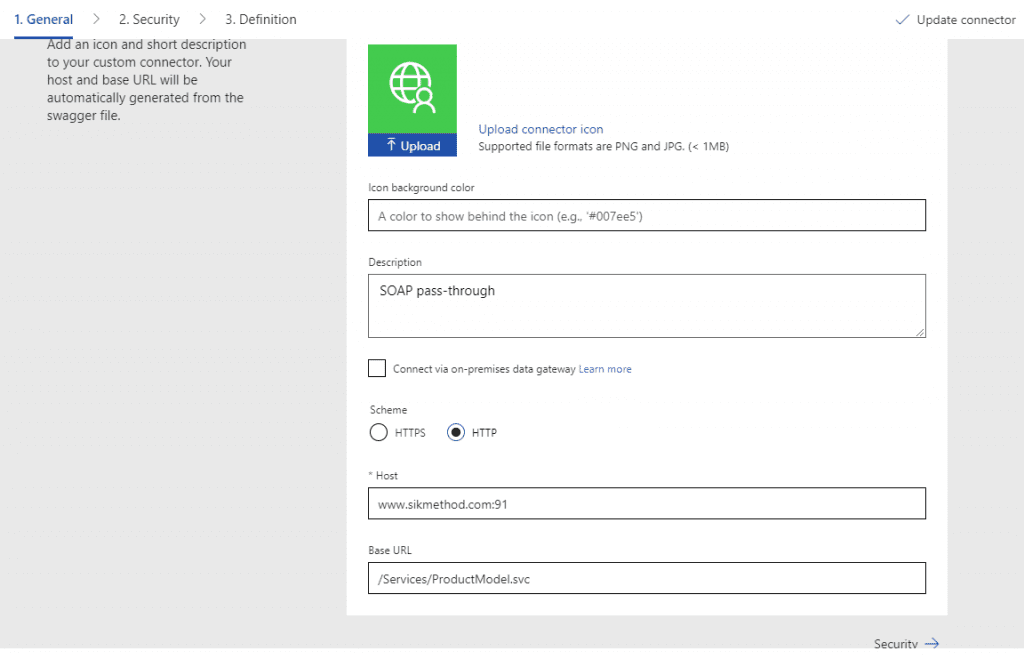
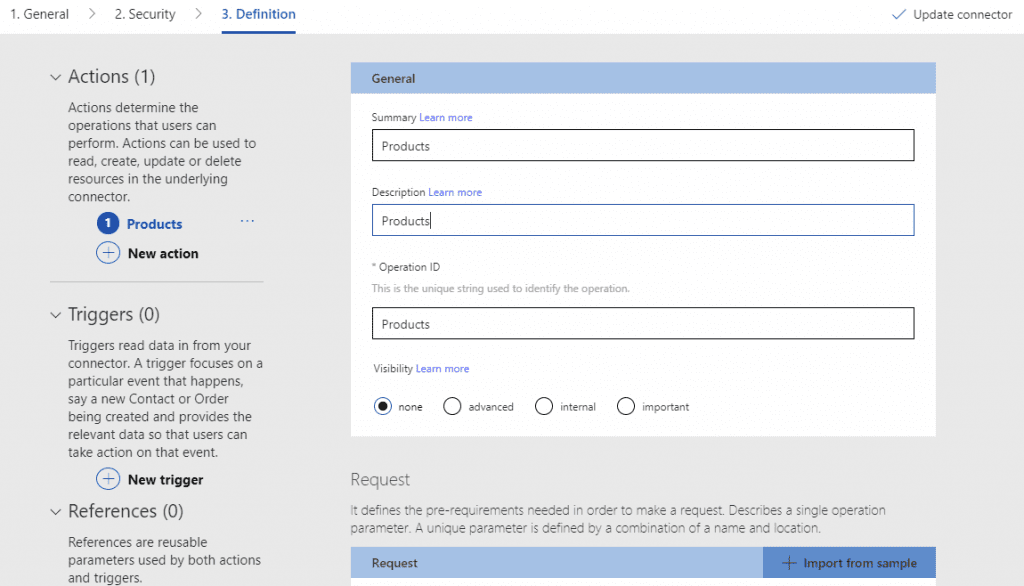
When filling out the action, you will list the URL and pass any required headers. For the service I was working with, I specified Content-Type text/xml and SOAPAction value that references the web service.
In the body, you want to put a placeholder of {}. This will become the parameters in your custom action.
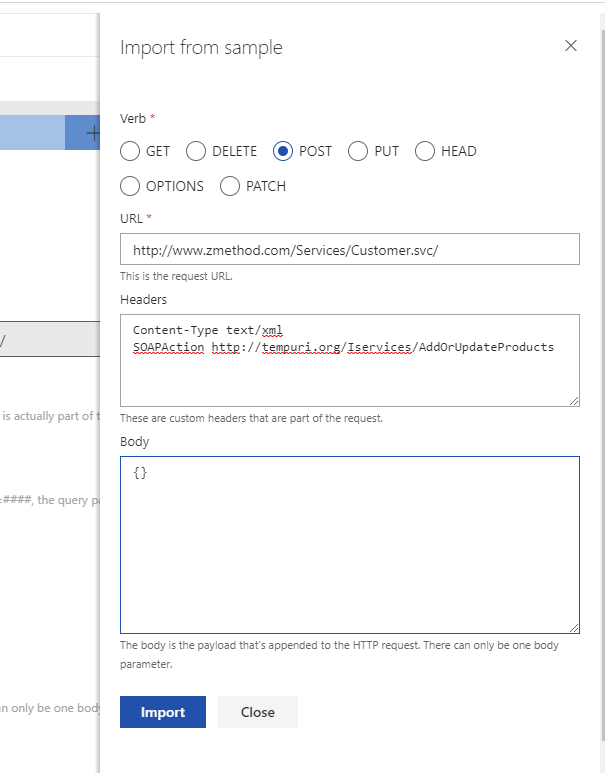
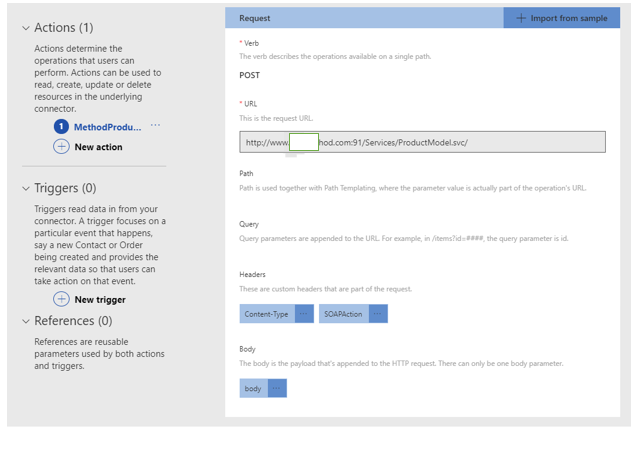
The {} placeholder will be replaced with the actual body that you are sending to the service.
I recommend using SoapUI to test your web service. This will generate the code needed to send to the custom connector.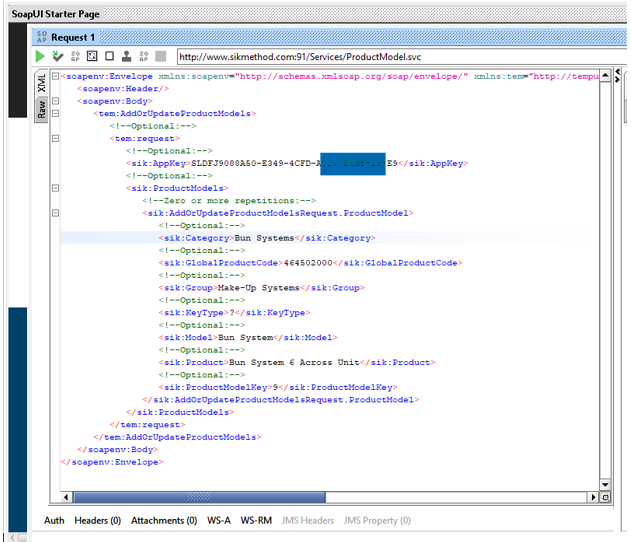
Copy and paste that XML into SQL Server and create a view with 3 columns: ContentType, SOAPAction, and Body. In this instance, I named my body column as Products.
Dynamically insert values from your source data into the view. In the screenshot below, you can see that I prefix the values with a function called dbo.escapeXml. There are special characters that will cause the web service call to fail.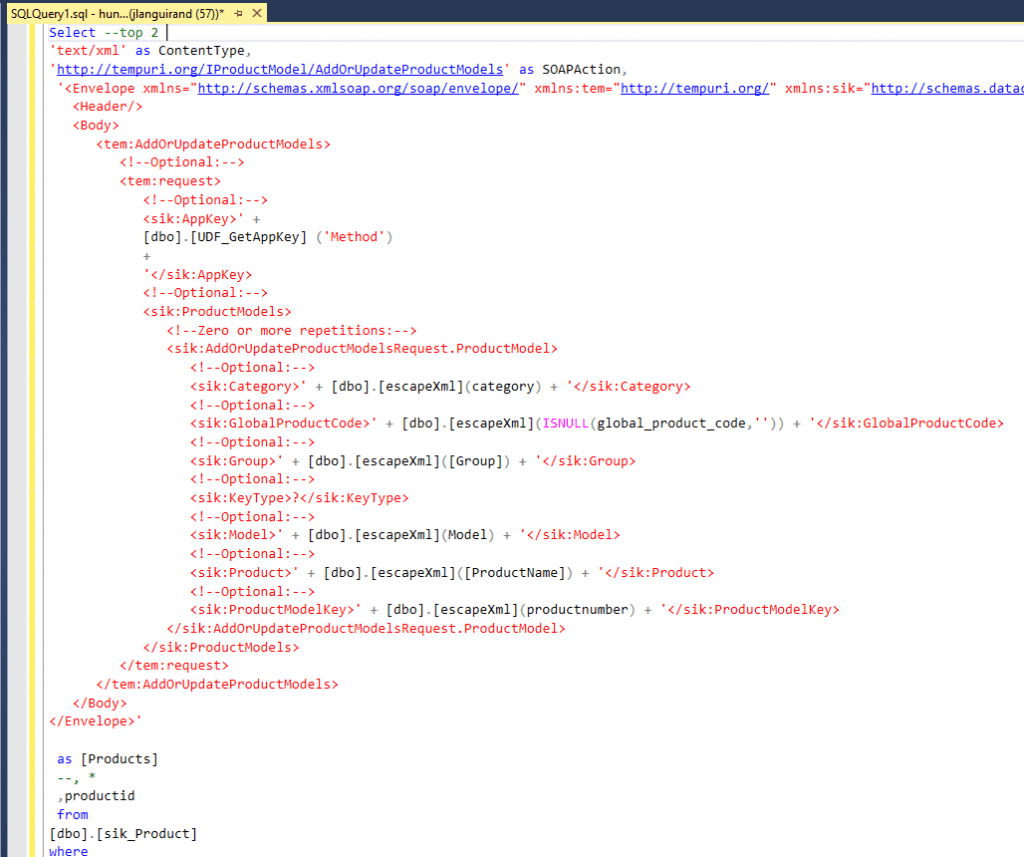
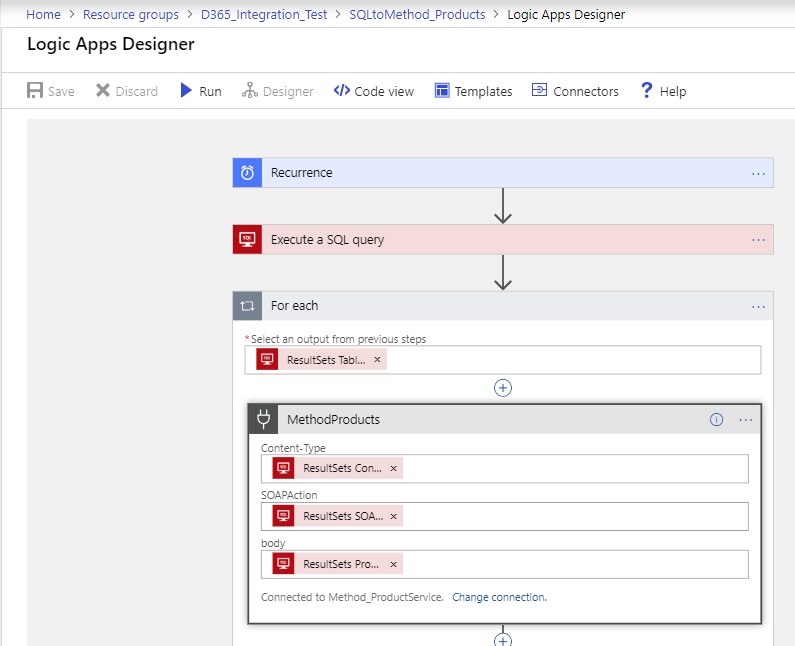
Once you complete building out the custom connector, it is available to use in Logic Apps. Just simply pass the three columns into the new action.
Have any questions about SOAP pass-through or any other Azure Logic Apps? Please contact one of our experts!
This publication contains general information only and Sikich is not, by means of this publication, rendering accounting, business, financial, investment, legal, tax, or any other professional advice or services. This publication is not a substitute for such professional advice or services, nor should you use it as a basis for any decision, action or omission that may affect you or your business. Before making any decision, taking any action or omitting an action that may affect you or your business, you should consult a qualified professional advisor. In addition, this publication may contain certain content generated by an artificial intelligence (AI) language model. You acknowledge that Sikich shall not be responsible for any loss sustained by you or any person who relies on this publication.