







Are you ever frustrated by the length of time it takes for your BI 360 report to run in Excel? We have gathered a few quick tips for you to follow to reduce your report run time.
There are several factors that could lead to a long a report run time such as number of sheets, use of functions versus period calculations, number of groupings or filters, or even the amount of data being brought into your BI 360 report. To avoid waiting for many minutes or even hours, try a few of these steps first to see if your report run time will improve.
Here are the three fixes we have found to be the most useful:
- Get rid of those unnecessary OSR formulas!
If you’re using mathematical functions in your report, be sure to use the native version of that function instead of the OSR version. This helps reduce the runtime by using the standard Excel version of the equation.
| Try this: |  |
| Instead of this: |  |
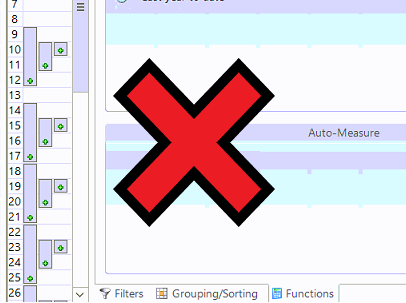
- Try to use fewer groupings on your rows. It can be an easy habit to get into, but the more you include, the longer your report runs. Try to limit the number of groupings to only one or two per section of your financial statement. Having two or three groupings on each Account row can drastically slow down your report.
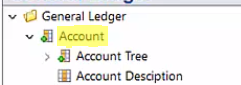
- Sort and filter on your dimensions and not your attributes.The indexing in your Data Warehouse and SSIS typically looks at the dimension code and not your attributes.
Other alternatives to these steps may include more filter changes or purchasing additional features from Solver’s BI360 such as the Data Warehouse or the Publisher.
The Data Warehouse allows you to manipulate your data in a way that will improve data organization and report efficiency. The Publisher tool is useful when you know your report is going to take awhile, but you do not want to change any of your features or customizations within your Report Designer. With Publisher, you simply set your report to run at night before you leave the office and Publisher will execute and distribute your reports so that an email will show up in your inbox in the morning with your report ready.
As I stated earlier, there are many potential causes to a long report run-time outside of these three, but this is a great start to narrowing down the causes!
For more tips about reporting in BI 360, check out this Solver PDF about best practices: http://downloads.solverusa.com/solveruniversity/collateral/general/BI360_-_Best_Practices.pdf Have other questions? Sikich is ready to help. Let’s chat.
This publication contains general information only and Sikich is not, by means of this publication, rendering accounting, business, financial, investment, legal, tax, or any other professional advice or services. This publication is not a substitute for such professional advice or services, nor should you use it as a basis for any decision, action or omission that may affect you or your business. Before making any decision, taking any action or omitting an action that may affect you or your business, you should consult a qualified professional advisor. In addition, this publication may contain certain content generated by an artificial intelligence (AI) language model. You acknowledge that Sikich shall not be responsible for any loss sustained by you or any person who relies on this publication.