







There were times when you need to modify a current report in Dynamics GP and add some VBA code to it. When you look at the Tools > Customize menu, you often wonder if you are able to add a current report to Visual Basic. Here you might think that, yeah, this is so not possible. But guess what? This print screen is actually very misleading. Even though you are not able to add the report from here, you can do it somewhere else.
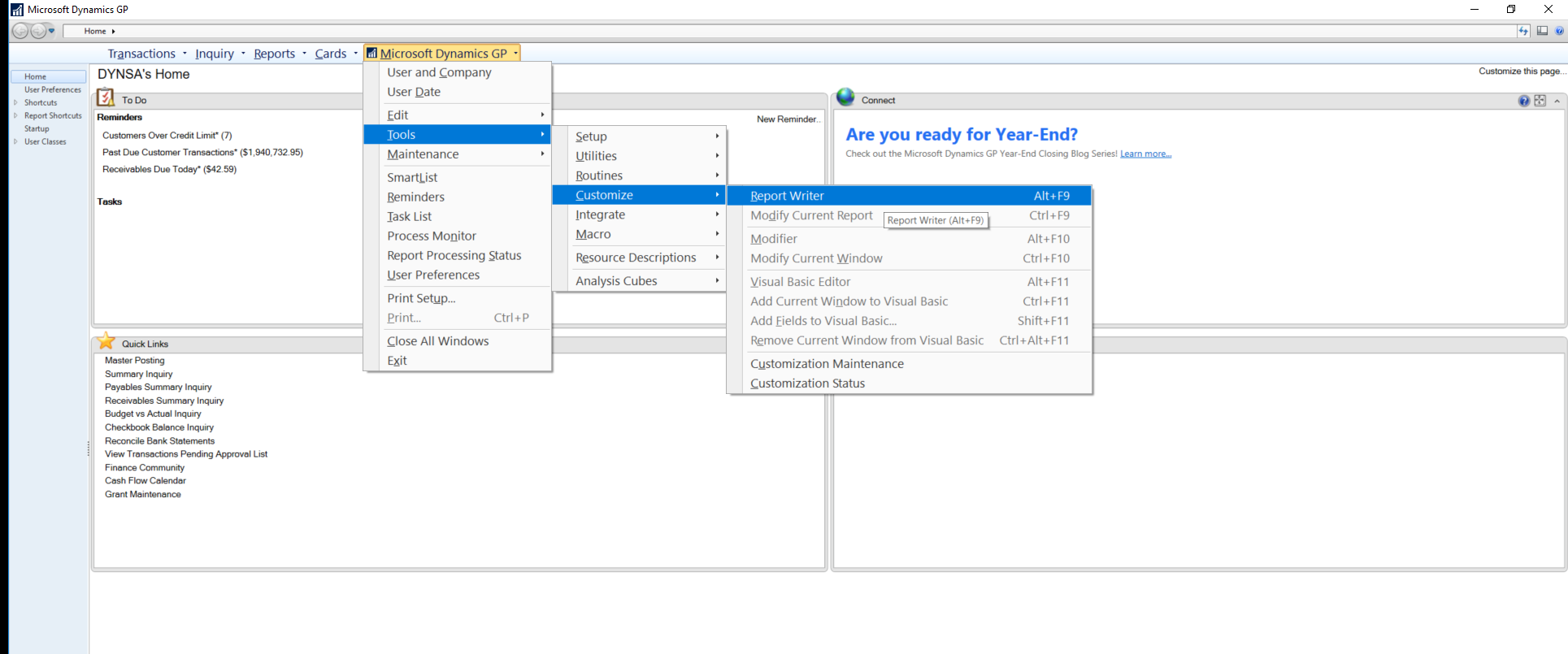
All you need to do is go to Report Writer and open up your selected modified report. Here my example is using the SOP Long Invoice Form.
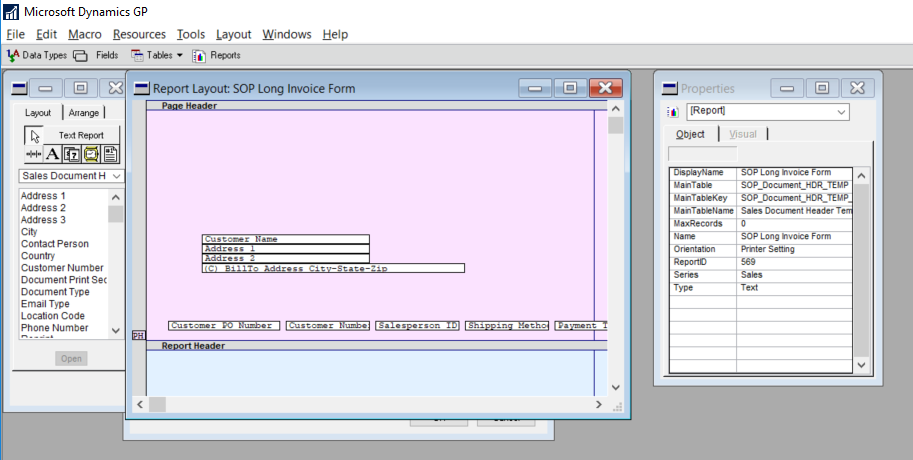
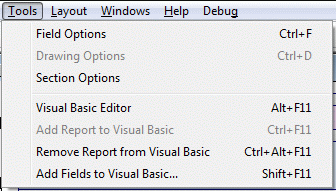
Now go to Tools. From here, you can add your report to Visual Basic by clicking the Add Report to Visual Basic option or pressing Ctrl+ F11.
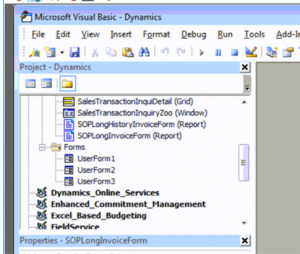
Once you do this, you should be able to see your report on the VBA Pane. In this case, you can see my SOP Long Invoice Form on the VBA Pane.
If you would like to add the fields that you would like to modify or manipulate, either Click Shift+ F11 or click on Add Fields to Visual Basic.
Please note that if you do add fields, you will have to go in to each field and add them one by one.
Once you have added the fields. You can see the fields in the drop down in the following example:
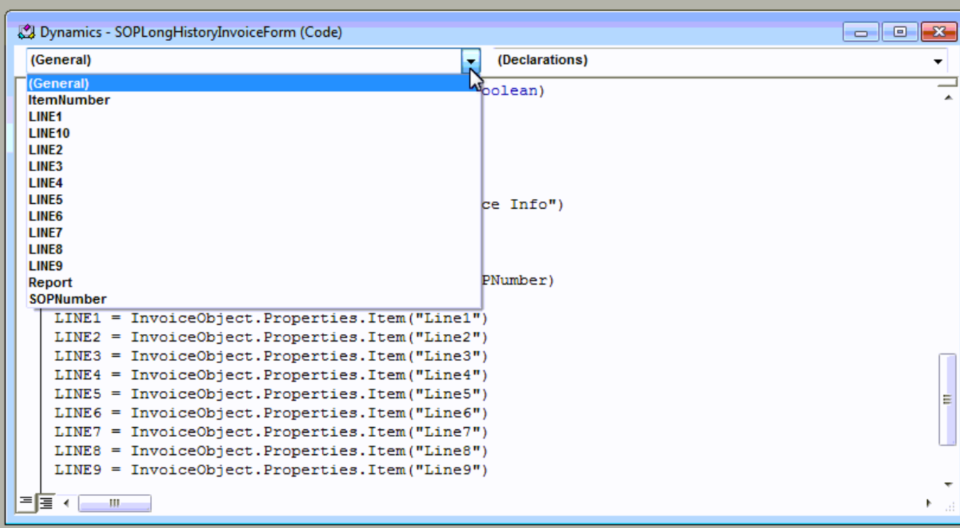
And there it is, now you are ready to code away.
Have any questions about Dynamics GP? Contact our Dynamics GP team at any time.
This publication contains general information only and Sikich is not, by means of this publication, rendering accounting, business, financial, investment, legal, tax, or any other professional advice or services. This publication is not a substitute for such professional advice or services, nor should you use it as a basis for any decision, action or omission that may affect you or your business. Before making any decision, taking any action or omitting an action that may affect you or your business, you should consult a qualified professional advisor. In addition, this publication may contain certain content generated by an artificial intelligence (AI) language model. You acknowledge that Sikich shall not be responsible for any loss sustained by you or any person who relies on this publication.