






Microsoft Dynamics 365 Business Central continues to evolve, and with version 26, the Sales Price List experience has undergone significant changes. Please note this change is mandatory to ensure users transition to improved features and maintain compatibility with the latest system updates.
Current Functionality
In previous versions of Business Central, managing sales prices and discounts required navigating separate interfaces. Users had to define sales prices and line discounts independently, which could be cumbersome and time-consuming. The process involved:
- Setting up sales prices for individual customers or groups.
- Configuring line discounts based on specific criteria like item, quantity, or date range.
- Managing these setups across multiple screens, leading to potential inefficiencies.
While functional, this approach lacked the streamlined integration that modern businesses demand.
New Functionality in Version 26
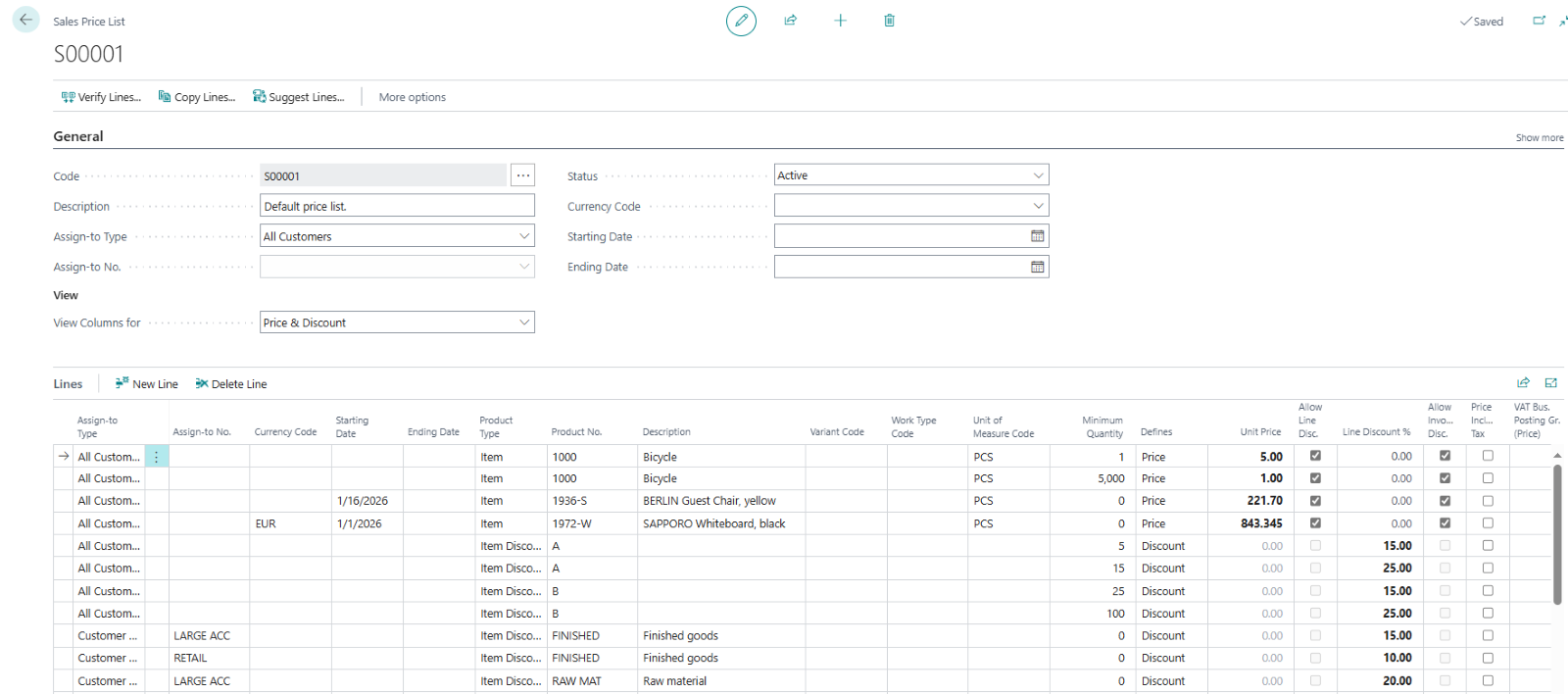
Version 26 introduces a consolidated Sales Price List experience, integrating pricing and discounts into a single interface. Key enhancements include:
- Unified Interface: Sales prices and discounts are now managed within one screen, simplifying the setup process and reducing administrative overhead.
- Flexible Price Lists: Users can create dynamic price lists tailored to specific customers, items, or campaigns. These lists can include:
- Special prices for promotional periods.
- Discounts based on bulk purchases or customer groups.
- Automatic Price Calculation: The system automatically determines the best price for a customer based on the active price list and sales order details.
- Bulk Updates: Price lists can be updated en masse using configuration packages, ensuring consistency across all entries.
- Enhanced User Experience: The new interface is intuitive, making it easier for users to navigate and manage pricing strategies effectively.
Benefits of the New Experience
The revamped Sales Price List functionality offers several advantages:
- Efficiency: Consolidating pricing and discounts into one interface saves time and reduces errors.
- Clarity: Users gain a clear overview of pricing strategies for each customer or group.
- Flexibility: Businesses can adapt their pricing models to meet changing market demands.
Transitioning to the New Experience
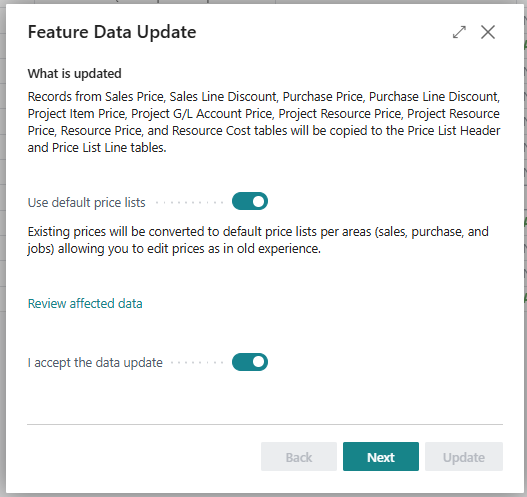
For users upgrading to version 26, enabling the new Sales Price List experience is straightforward. However, it’s recommended to test the feature in a sandbox environment before applying it to live systems. This ensures a smooth transition and minimizes disruptions.
Testing and Validation Steps
The recommendation is to review the converted Sales Price Lists. Enter Sales Orders and Invoices to confirm everything is migrated properly.
It is also recommended that new Customer Master Records are created and assigned to the Sales Price List at the time of entry.
Have any questions about Microsoft Dynamics 365 Business Central version 26? Please reach out if you have any questions!
This publication contains general information only and Sikich is not, by means of this publication, rendering accounting, business, financial, investment, legal, tax, or any other professional advice or services. This publication is not a substitute for such professional advice or services, nor should you use it as a basis for any decision, action or omission that may affect you or your business. Before making any decision, taking any action or omitting an action that may affect you or your business, you should consult a qualified professional advisor. In addition, this publication may contain certain content generated by an artificial intelligence (AI) language model. You acknowledge that Sikich shall not be responsible for any loss sustained by you or any person who relies on this publication.