







It’s quite likely you have worked with customers of your company that provide services outside the United States. Oftentimes they prefer or even require the ability to view multiple currencies within the same instance of a Dynamics CRM Portal or a company website that is customer facing. Not unlike the need for websites and portals to display multiple languages for data field labels and the field contents in the Customer’s native language, the ability to display currency fields in the Customer’s currency for that country is usually a requirement. It is also the remedy for the frustration of seeing everything in US dollars rather than their own currency. Is that doable in CRM? The simple answer is, Yes!
Every CRM environment requires the establishment of that environment’s base currency. It is set up only once and it becomes a currency value that is not editable going forward. Sounds like a trap from which one cannot escape…so how do you provide the ability for other currencies to be used in CRM? Thankfully Microsoft Dynamics CRM allows the systems administrator to establish several different currencies for the organizational CRM environment. It is a very simple process to set up a new currency using the following steps:
- Navigate to the Settings set of functional tabs by selecting the gear icon when logged into one of the operational Apps such as the Sales Hub.

- When you select the gear icon you will presented with a list of options. Select the one labeled “Advanced Settings.”
- When you select Advanced Settings a new tab is displayed in your browser as follows:
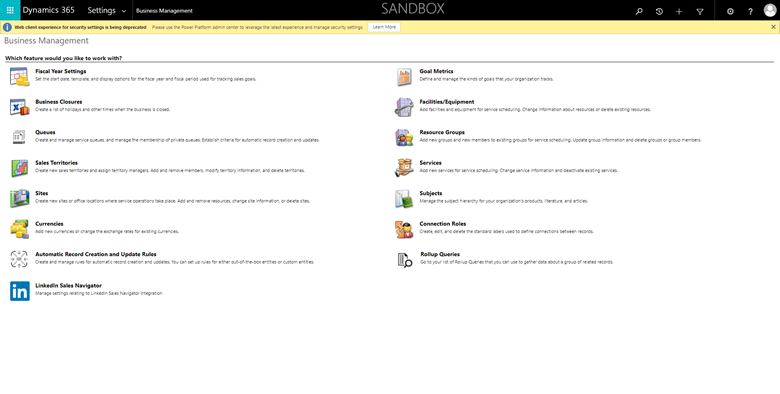
- The screen displayed will normally default to Business Management as shown above.
- Select the icon labeled “Currencies” on the lower left portion of the screen. You will be presented with Currency options for CRM. Out of the Box, CRM will normally display the “home currency” for the location of the environment. In this instance of the demo instance in the screenshots this is “US Dollar.”
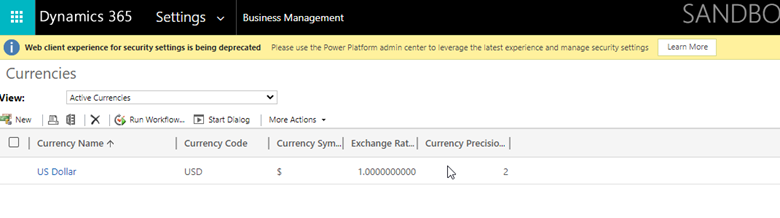
- The Currency Name is a field that is populated with the name from the available list of 220 currency codes in CRM. There is also a Currency Symbol that is populated automatically when the currency code is selected.
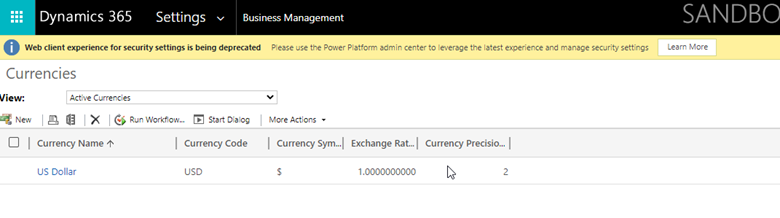
- In order do create a new Currency record, select the “New” icon in the form navigation bar.
- Once selected, a new form popup window will be displayed as follows:
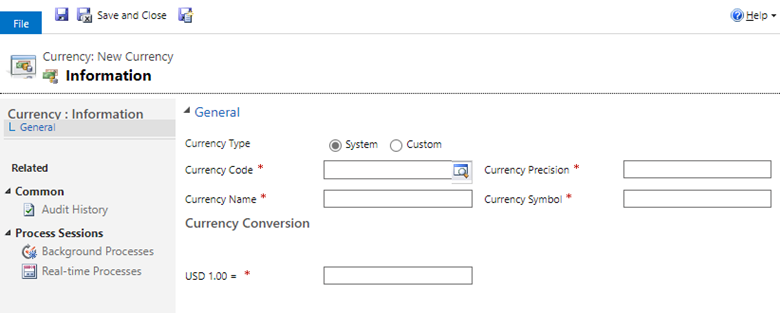
- To select the Currency Code, select the Magnifying Glass icon to the right the field as outlined above. Once selected there is a list of 220 Currencies displayed.
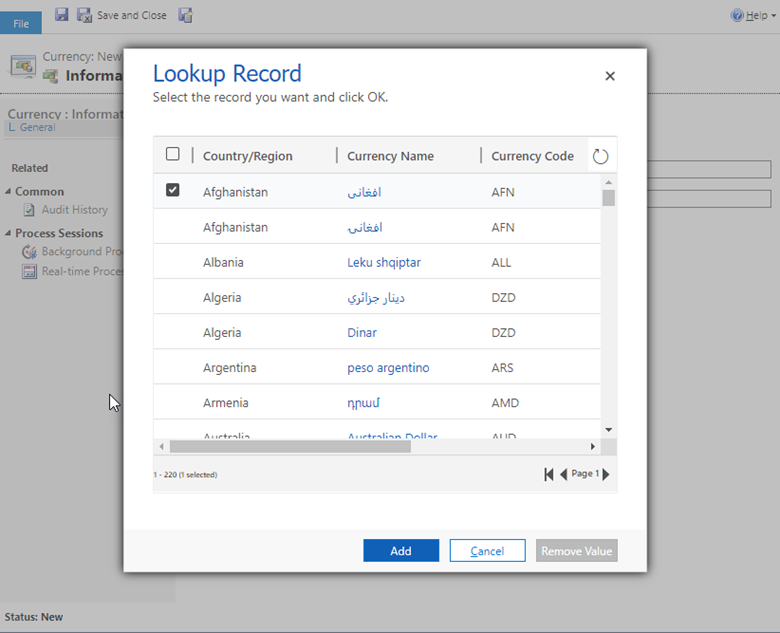
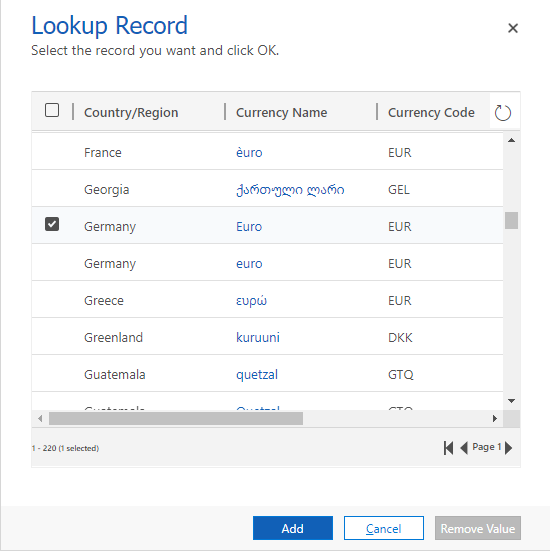
- As an example, if you want to add Germany to the currency list, scroll down to locate the “Germany” list of codes and select one…in this case it will be Euro. Once an option is checked, click the “Add” icon.
- You will the see the Currency Record populated as follows:
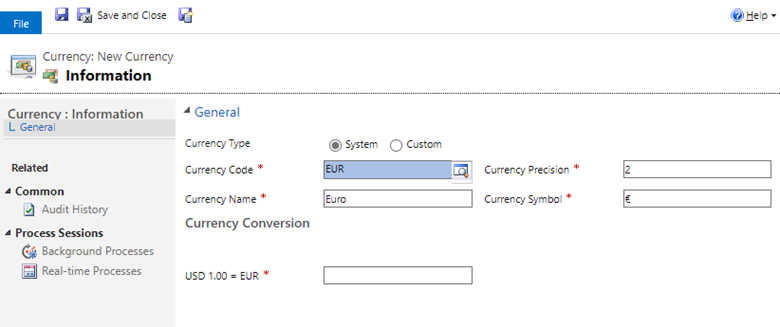
- You will notice that the only other field that needs to be populated as a required field is the Currency Conversion field. This must be set manually to the current conversion rate value. Once populated, simply select the “Save and Close” icon to add the new currency record into CRM. Please note that, out of the box, the conversion rates must be maintained manually through periodic updates. There are a number of online service providers that supply integrated updates to Dynamics CRM for auto updates to the conversion rates for all Currency records created in CRM. This blog is not recommending or endorsing any particular ones, but only pointing out they are available.
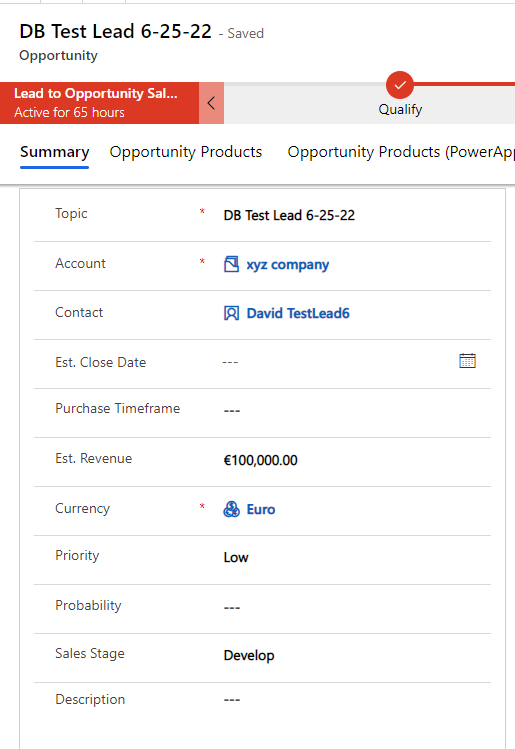
There are a few CRM entity forms that allow the change in the currency field. One example is the Opportunity entity form. The Currency field is a required field and will default to the environment Currency Code (in this case, it is US Dollar), but it can be changed to any of the Currency records that have been created, such as the new Germany currency record. The following screen shows the default of US Dollar. Note the “Est. Revenue” field shows $100,00.00.
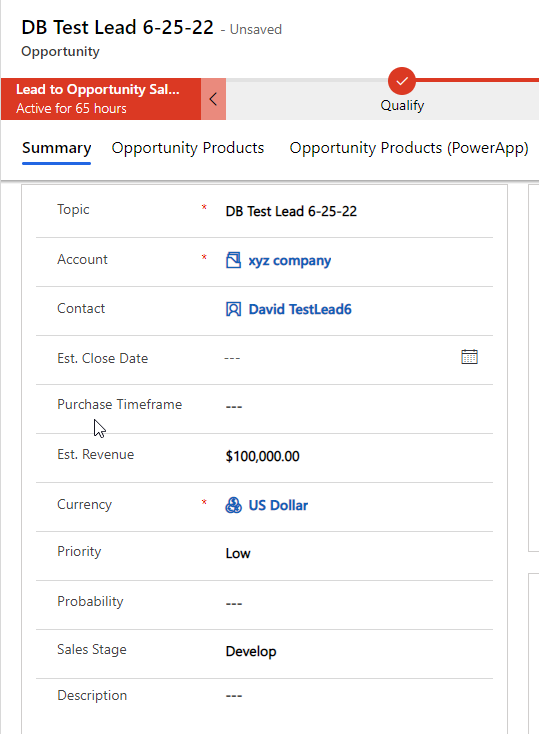
When the currency on this opportunity record is changed to “Germany,” any currency fields displayed on the form will automatically be updated to now display Euro rather than Dollars as follows:
The ability to change a Currency value based on the multiple Currency Records that can be created in CRM allows CRM to powerfully display different currencies for different customers based on their location and CRM Users, also based on their preference or location. It’s as simple as that!
Have any questions about how to set up multiple currency records in Dynamics CRM or general questions about Dynamics 365 CRM? Please contact us at any time!
This publication contains general information only and Sikich is not, by means of this publication, rendering accounting, business, financial, investment, legal, tax, or any other professional advice or services. This publication is not a substitute for such professional advice or services, nor should you use it as a basis for any decision, action or omission that may affect you or your business. Before making any decision, taking any action or omitting an action that may affect you or your business, you should consult a qualified professional advisor. In addition, this publication may contain certain content generated by an artificial intelligence (AI) language model. You acknowledge that Sikich shall not be responsible for any loss sustained by you or any person who relies on this publication.