







Microsoft Fabric is a very powerful tool and a great place to store your data. In some cases, we want to be able to make subsets of this data available to external tools via API calls. Here’s how to create a Fabric API app for GraphQL.
Register a New Microsoft Entra App
Register a Microsoft Entra App in the Azure portal with the following configurations.
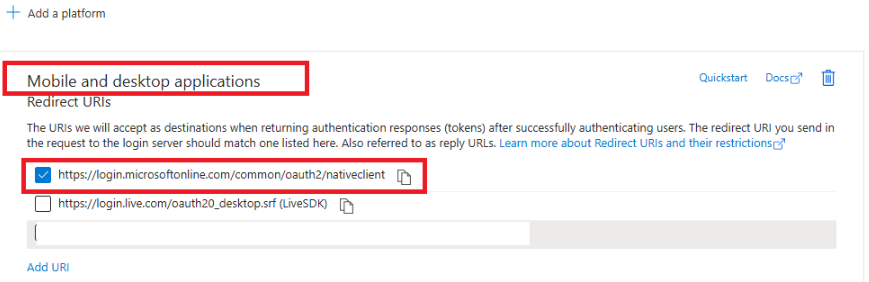
Authentication > Add a platform > Mobile and desktop application. This will automatically generate redirect URIs to use. Choose the first option.
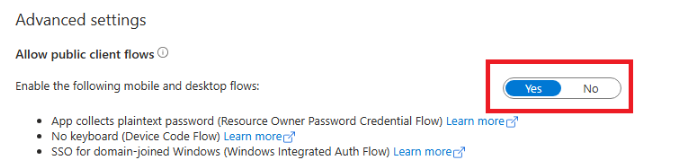
Make sure Allow public client flows is set to Yes.
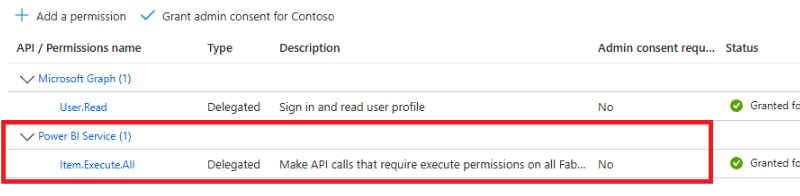
Under the Manage list, select API permissions, then Add permission.
Add the PowerBI Service, select Delegated permissions, and select GraphQLApi.Execute.All and Item.Execute.All permissions.
After we have our Entra ID set up, we need to grant permissions to the API and any data sets that our API would call. The additional permissions are commonly granted at the user level, so first we need to go to the Tenant Admin portal in Fabric to give permissions to our Entra ID.
Go to Fabric > Tenant Admin portal > Tenant Settings > Developer settings and enable Service Principals can use Fabric APIs.
Then go to the API and all relevant data sources and select Manage permissions > Add user.
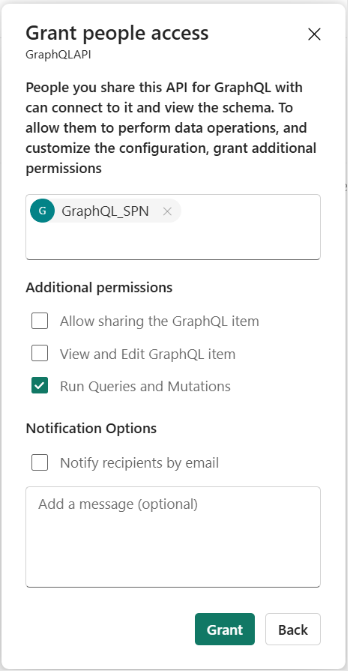
Now we can add the name of our Entra app here and ensure they are enabled to Run Queries and Mutations.
Now we are able to run API calls to query our data, but we are unable to call Stored Procedures. To do this, we need to additionally grant our Entra ID Contributor permissions.
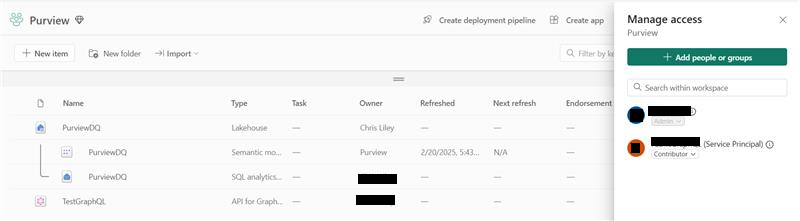
Now that the Entra ID configurations are complete, we can start getting our data!
Setting Up the Fabric API for GraphQL
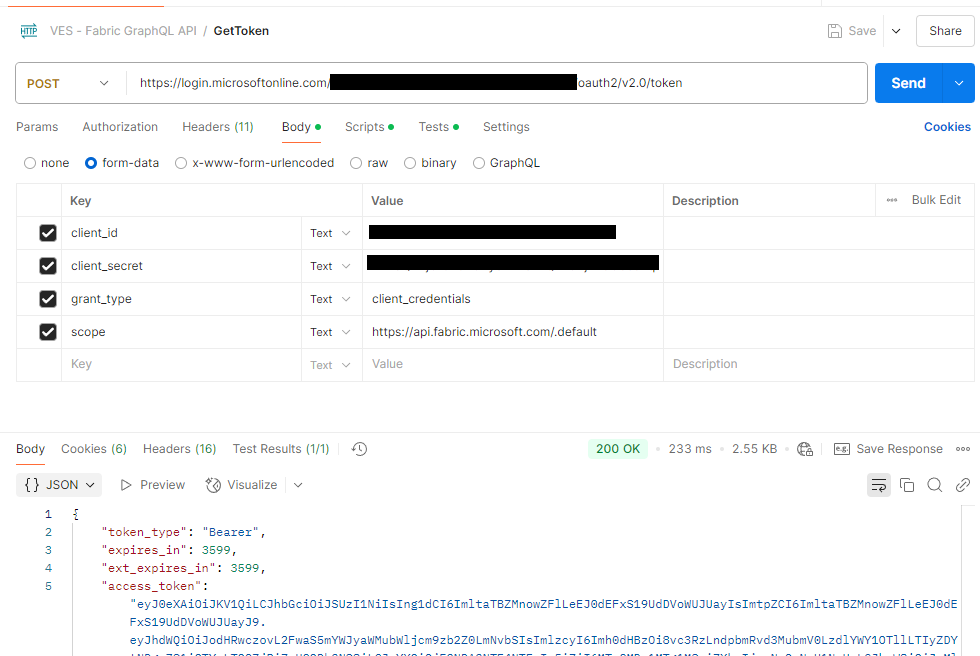
First we can get a token by going to https://login.microsoftonline.com/TENTANTID/oauth2/v2.0/token.
Client_id and client_secret are values from our Entra ID.
Ensure the scope is set to https://api.fabric.microsoft.com/.default.
Query Example
Using the access_token from the previous call, we can now make query calls. Here is an example using the sample data set from Fabric for holidays. You can use Fabric to generate code and the URL if needed, which can be helpful.
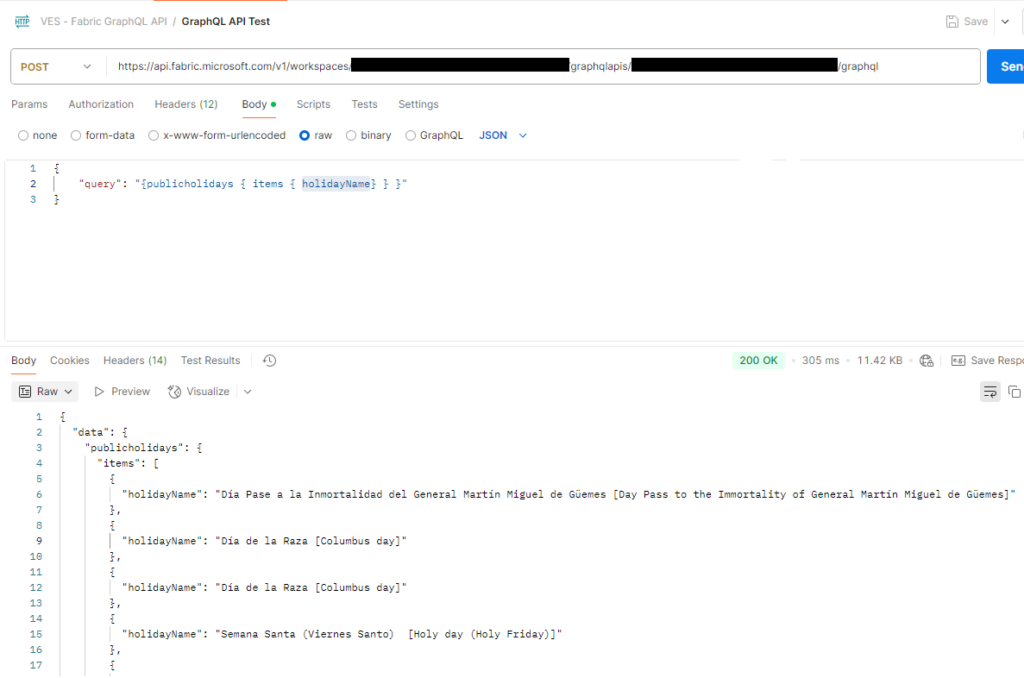
I will avoid getting into query specifics here, but it is worth calling out that you can pass in variables, test with the ‘GraphQL’ node for the request body in Postman, and add various filters/etc. in the GraphQL query. A quick example of a filtered query could be as follows:
query { customers (first: 10, filter:  {
       orderingcustomeraccountnumber:  {
          eq: "123"
       }
    }) {
       items {
          salesordernumber,
          orderingcustomeraccountnumber
       }
    }
  }
Another Example
As a final example, here’s how to use Fabric API to call a stored procedure and see the GraphQL body format in Postman.
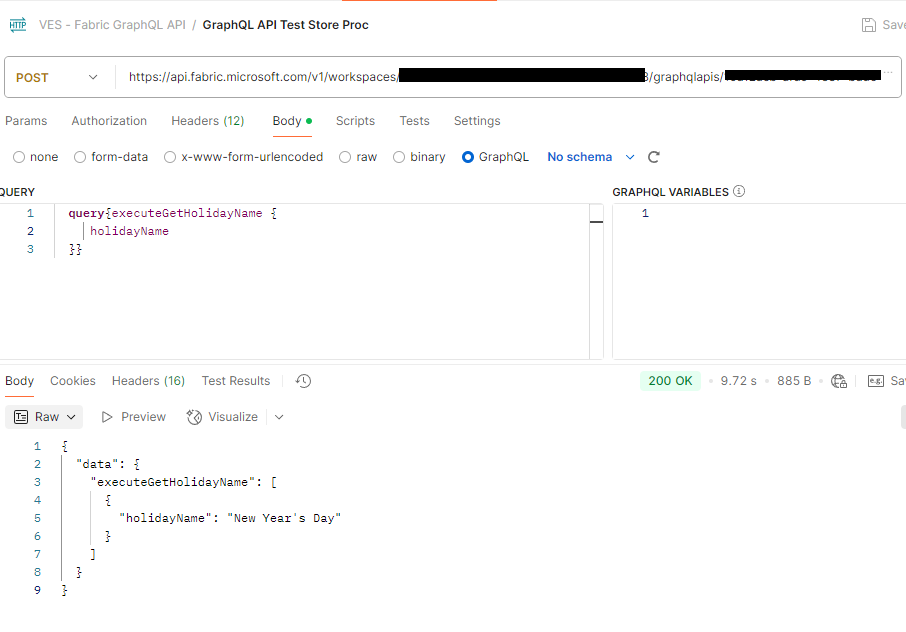
Be aware that if you do not add the Entra ID as a contributor and you try to run a stored procedure, or if you do not enable to Entra ID on the stored procedure, you will get the following error:
{
  "errors": [
    {
      "message": "An internal execution error occured",
      "locations": [
        {
          "line": 2,
          "column": 5
        }
      ],
      "path": [
        "executeGetHolidayName"
      ],
      "extensions": {
        "code": "InternalServerError"
      }
    }
  ]
}
I hope this helps you get connected to data in Fabric, and you can now successfully make GraphQL API calls to utilize your data externally as needed! If you need additional references for this process, check out the official Microsoft documentation.
Microsoft documentation for reference: Connect applications to Fabric API for GraphQL – Microsoft Fabric | Microsoft Learn
Post previously published https://markedcode.com/index.php/2025/02/28/using-the-fabric-api-for-graphql/
This publication contains general information only and Sikich is not, by means of this publication, rendering accounting, business, financial, investment, legal, tax, or any other professional advice or services. This publication is not a substitute for such professional advice or services, nor should you use it as a basis for any decision, action or omission that may affect you or your business. Before making any decision, taking any action or omitting an action that may affect you or your business, you should consult a qualified professional advisor. In addition, this publication may contain certain content generated by an artificial intelligence (AI) language model. You acknowledge that Sikich shall not be responsible for any loss sustained by you or any person who relies on this publication.