







Recently, our Dynamics 365 for Finance and Operations (D365FO) team went through a tenant migration. With it, came the process of reconnecting all the points of integration for our internal environments. Unfortunately we hit a snag with the “Unable to communicate with the SharePoint server” error. Here is how we were able to resolve this issue.
Connecting D365FO with SharePoint
Following the Microsoft documentation, we proceeded to Organization Administration → Document Management → Document Management Parameters. We then selected the SharePoint tab.
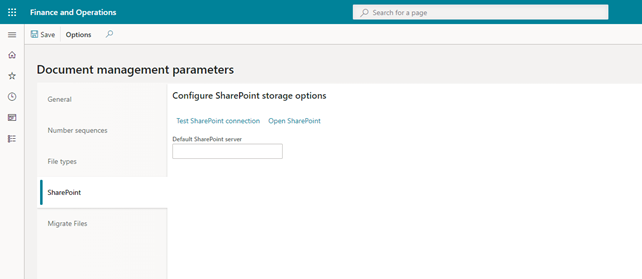
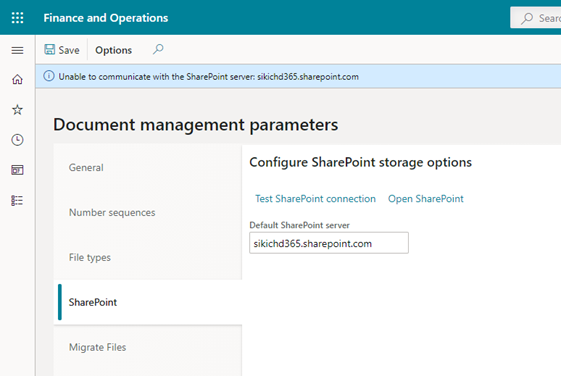
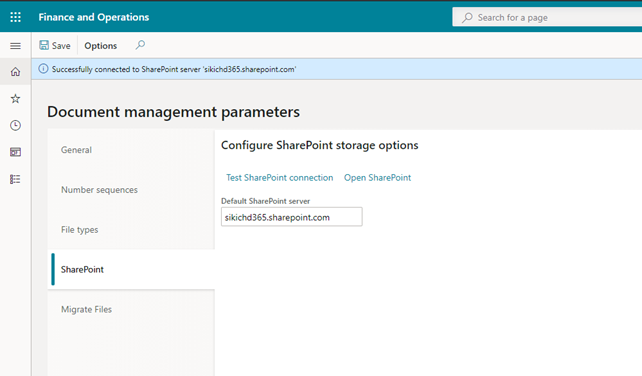
We then entered in our SharePoint site and clicked “Test SharePoint connection.” We received this message “Unable to communicate with the SharePoint server: sikichd365.sharepoint.com.”
Fortunately, this is a cloud hosted environment that allows access to this virtual machine. Once we opened the virtual machine, the first step was to look at Event Viewer, since this was trying to call an API for a SharePoint Connection.
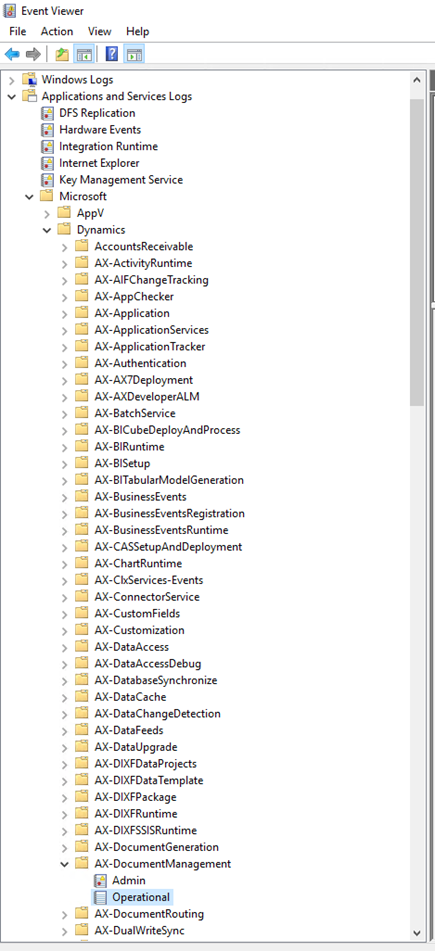
Within Event Viewer, we navigated to Applications and Services Logs → Microsoft → Dynamics → AX-DocumentManagement and viewed the Operational Logs.
The logs provided all the same details: “Could not load file or assembly ‘Microsoft.IdentityModel.Extensions, Version=2.0.0.0, Culture=neutral, PublicKeyToken=69c3241e6f0468ca’ or one of its dependencies. The system cannot find the file specified.”
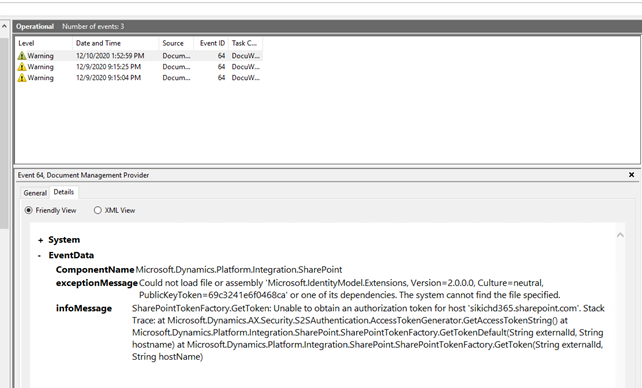
What does Microsoft.IdentityModel file do? This file allows for Dynamics (or other programs) to connect with SharePoint. Specifically, it is where OAuth and S2SAuthentication are stored. Without this file, Dynamics cannot connect to SharePoint.
After some searching through folder C:WindowsMicrosoft.NETassemblyGAC_MSIL, we discovered that Microsoft.IdentityModel.Extensions does not exist anymore within the file structure.
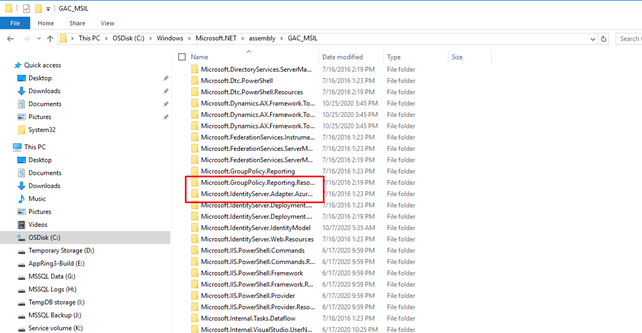
Through more searching, we learned that Microsoft changed the file structure. Microsoft.IdentityModel is structured in Windows Identity Foundation (WIF). Microsoft integrated Windows Identity Foundation into .NET 4.5. In doing so, they moved the majority of Microsoft.IdentityModel to System.Security, System.ServiceModel.Security, and System.IdentityModel.
One item that was left out was IdentityModel.Extensions, which was the reason for the Event Viewer error message.
Resolution
There are a couple of ways we can get this file into our environment.
- Direct Download and Install.
- Install Office Developer Tools via Visual Studio.
We took option one, a Direct Download and Install. Since this environment was not going to be used for development, installing the Office Developer Tools was more work than required for the task.
From the Microsoft Downloads site, we downloaded the MSI file. You can use a tool such as 7zip to view its archive and see it contains our missing dll file.
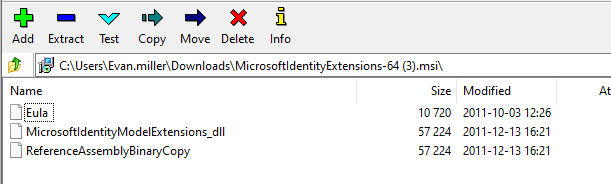
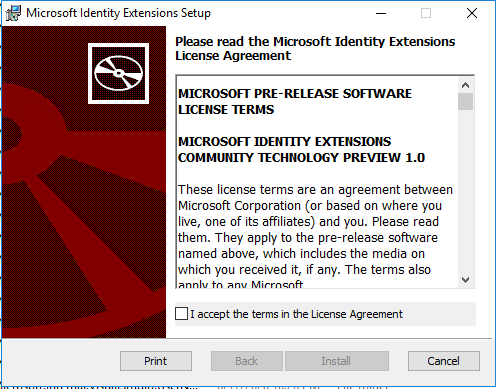
We moved the MSI file to the virtual machine and installed it following through the prompts and install Microsoft Identity Extensions.
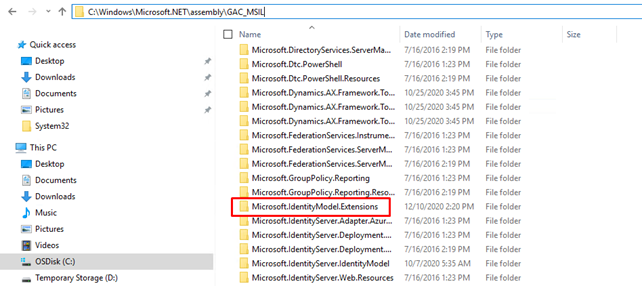
After the install, we navigated back to confirm the file was there.
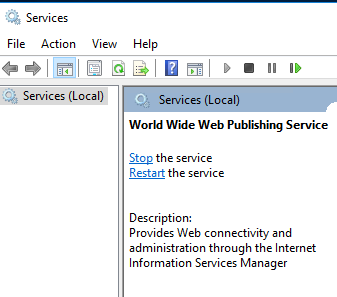
After the install was complete and the file confirmed to be in its correct location, we restarted the World Wide Web Publishing Service on the virtual machine. This will restart IIS and apply the changes. Give the restart a couple of minutes to fully take effect.
We then refreshed our Dynamics instance and tested the SharePoint connection once more. The connection was successful!
If you have any questions on how to resolve the “Unable to communicate with the SharePoint server” error when connecting SharePoint with D365FO, or any other question about SharePoint and D365FO, please contact us at any time!
This publication contains general information only and Sikich is not, by means of this publication, rendering accounting, business, financial, investment, legal, tax, or any other professional advice or services. This publication is not a substitute for such professional advice or services, nor should you use it as a basis for any decision, action or omission that may affect you or your business. Before making any decision, taking any action or omitting an action that may affect you or your business, you should consult a qualified professional advisor. In addition, this publication may contain certain content generated by an artificial intelligence (AI) language model. You acknowledge that Sikich shall not be responsible for any loss sustained by you or any person who relies on this publication.