






The 10.0.43 update for Microsoft Dynamics 365 includes new Security Governance features that are currently in preview. According to Microsoft’s update notes, these features provide “useful tools for System Administrators” that will help in “creating a security architecture that aligns closely with business processes.” The Security Governance tools also assist with managing roles, auditing licenses, managing privileged users, and creating reports regarding license usage costs, just to name a few new perks.
To enable these features, go to the Feature Management workspace in Dynamics 365 as shown below.
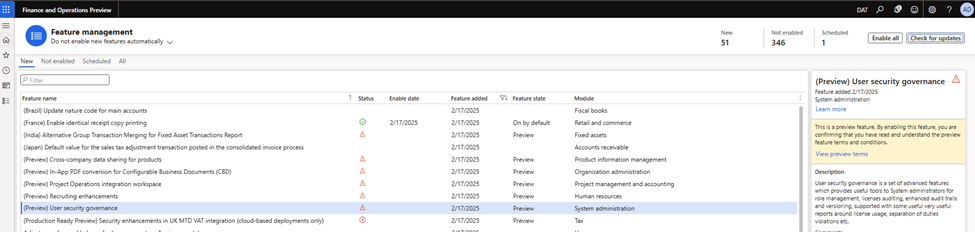
Once enabled, new menu items will pop up under System Administration.
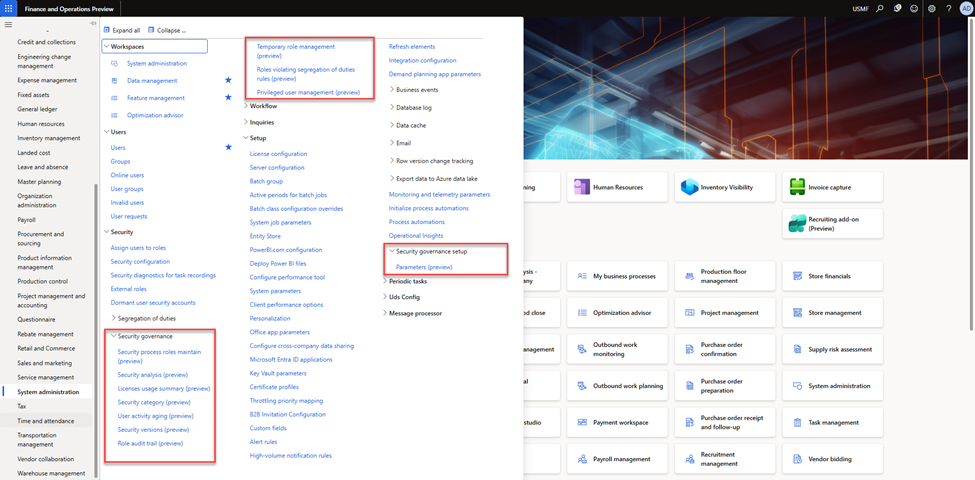
Next, we can set up the new security governance parameters. These include license costs that can be used in a license estimation, but we can also run the tools without any values. Check out the full setup options from Microsoft’s update notes.
Let’s take a quick look at some of the incredible use case scenarios for these features.
License usage summary
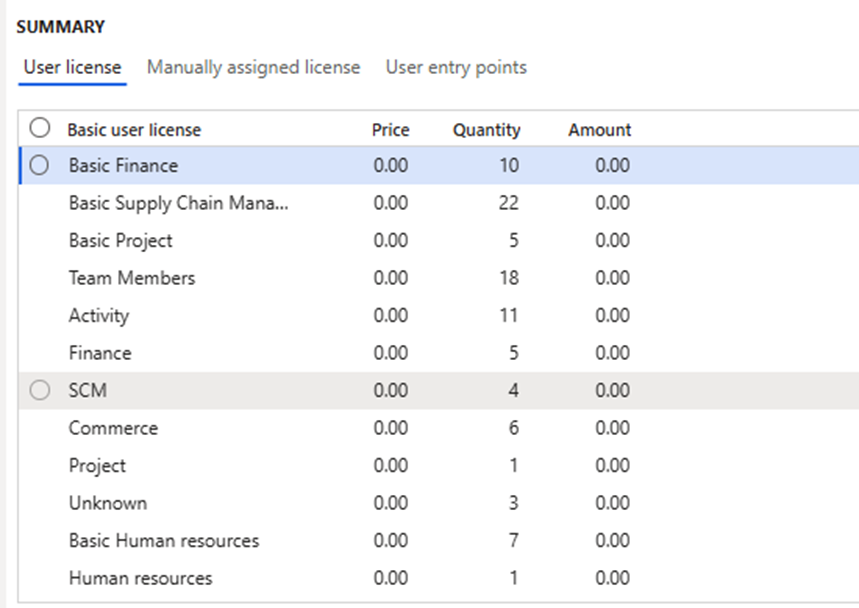
This form contains a variety of useful info. For example, the user license tab shows what license type each user consumes based upon their current role assignment. This information can be especially useful when going through license renewals and true-ups. The Role, Duty & Privilege license tabs show similar information, but by the corresponding security artifacts.

The User license summary tab shows total license requirements by type as well as license cost information (license costs are entered on the security governance parameters).
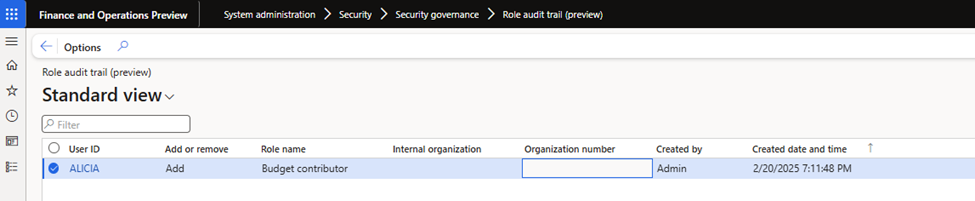
Role audit trail
The Role audit trail form shows changes to user security assignments. While users could gather this information previously, it was not easily accessible. Now the information is easy to find in one place.
Temporary role management
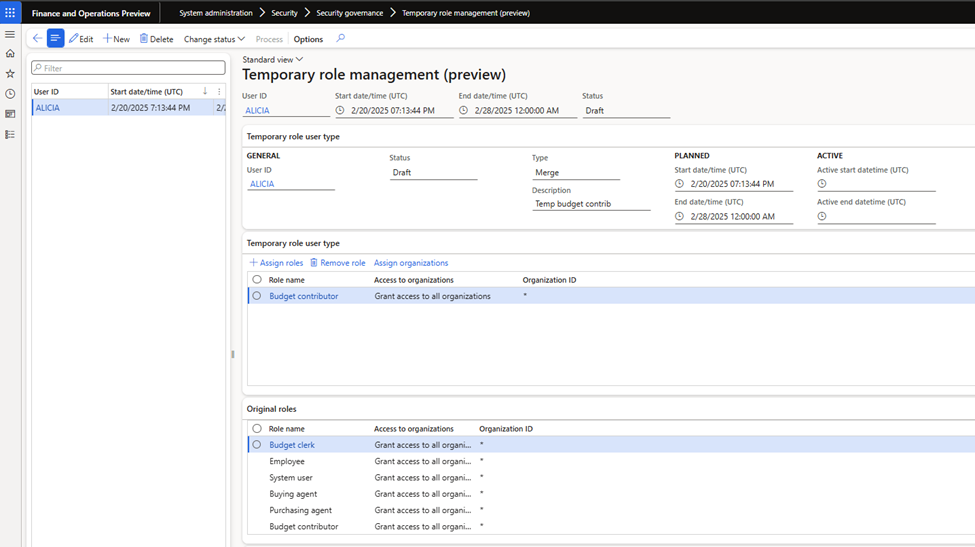
Temporary role management can automate the assignment (or removal) of security roles for a specified period of time. Once the admin creates a role and moves it to the “Planned” status, security assignments will automatically process the temporary roles via scheduled batch jobs.
Privileged user management
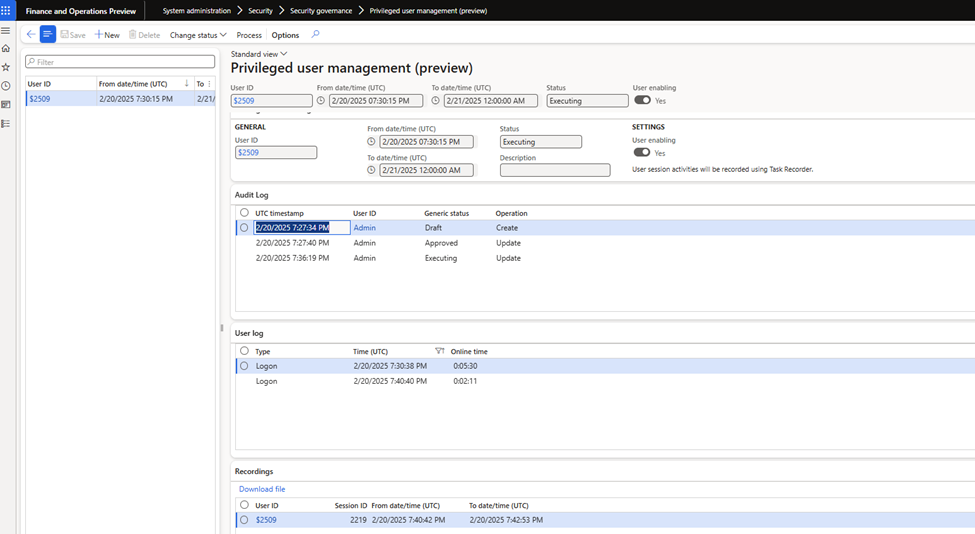
Privileged user management—perhaps the most interesting feature—gives users elevated permissions for a period of time and records all of their actions within the system during that time.
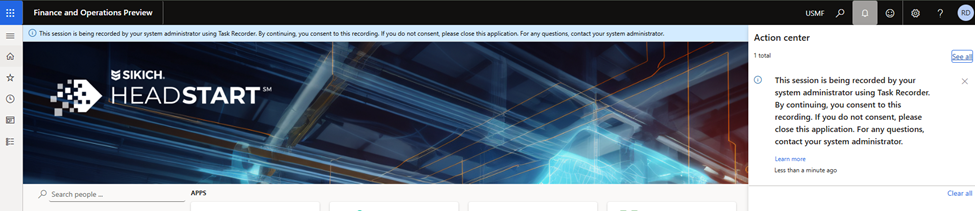
When a user with a privileged session logs in, an action center message greets them with a constant ribbon notification that lets them know they are being monitored and recorded.
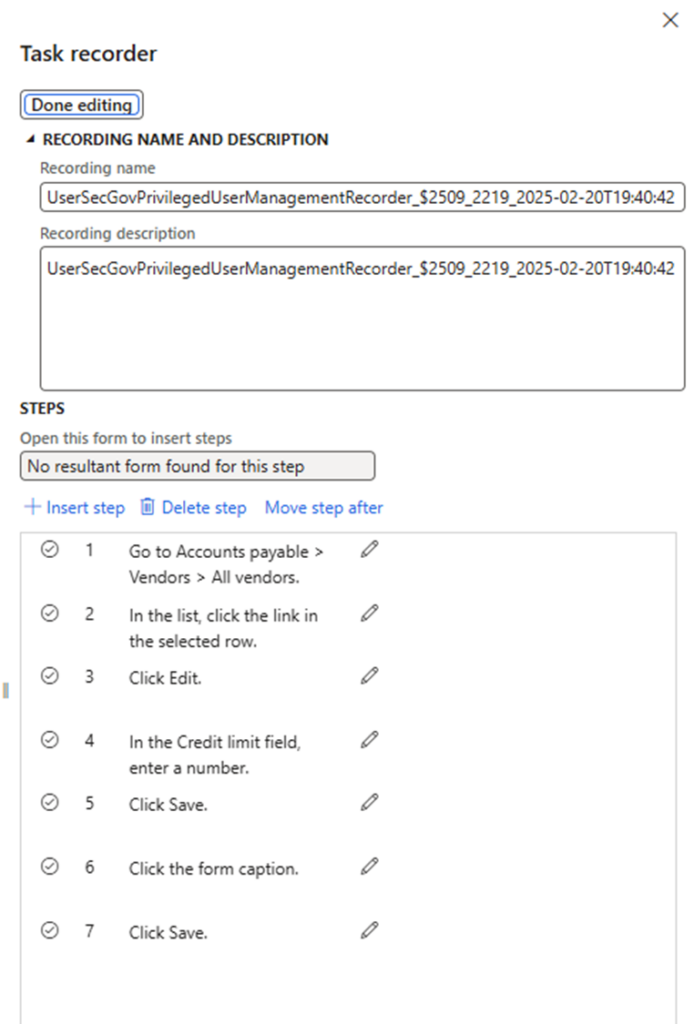
The output of the recording is an axtr file, which can be viewed with the Trace Parser tool or opened in the application via the task recorder.
Have any questions about these new Security Governance features in Dynamics 365? Please reach out to our experts at any time!
This publication contains general information only and Sikich is not, by means of this publication, rendering accounting, business, financial, investment, legal, tax, or any other professional advice or services. This publication is not a substitute for such professional advice or services, nor should you use it as a basis for any decision, action or omission that may affect you or your business. Before making any decision, taking any action or omitting an action that may affect you or your business, you should consult a qualified professional advisor. In addition, this publication may contain certain content generated by an artificial intelligence (AI) language model. You acknowledge that Sikich shall not be responsible for any loss sustained by you or any person who relies on this publication.