







The Ubiquiti UniFi Controller software is used to manage multiple wireless access points in a single pane of glass. It may be necessary to migrate the UniFi Controller software due to required upgrades or changes in the network environment. It can be challenging to manually reconfigure the controller software of a new installation and then re-associate all of the access points. The utilities that are built in to the controller software can easily migrate the configuration and inventory of associated devices, such as access points, greatly simplifying migrations.
Resolution
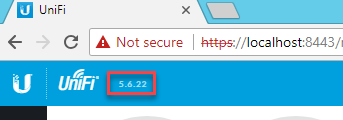
To limit potential issues, the new controller should be installed that is the same version as the controller you are replacing. This can be determined by logging and noting the version in the upper left-hand corner of the screen.
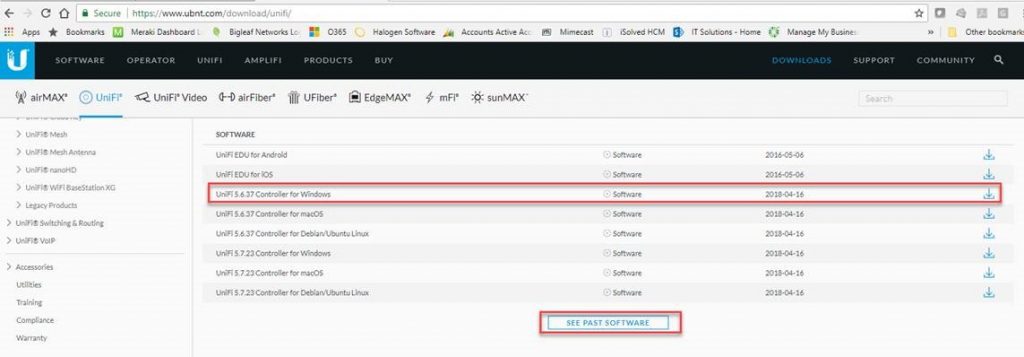
The software can be downloaded directly from Ubiquiti from https://www.ubnt.comdownload/unifi. The UniFi software is available in the Software section. Older versions can be downloaded by clicking the See Past Software button on the web page.
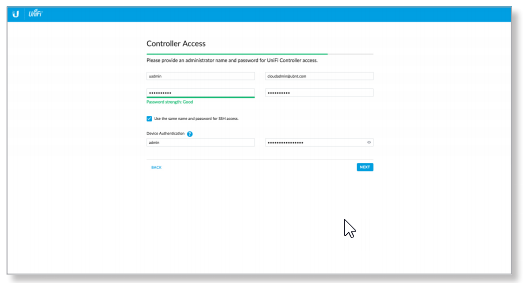
The installation wizard will have you create a new username and password when the UniFi Controller software is installed.
Backup the configuration on the source UniFi Controller by navigating to the Settings, Maintenance, Backup, and clicking the Download Backup button.
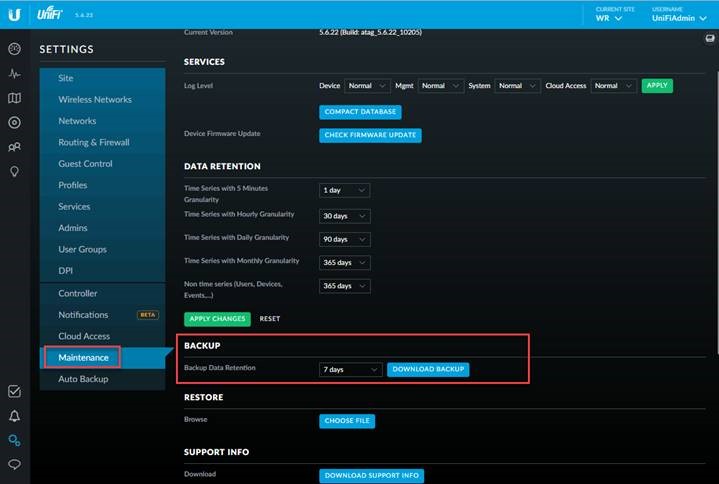
This process will create a file with a UNF extension. Copy this file to the target controller software that was just installed.
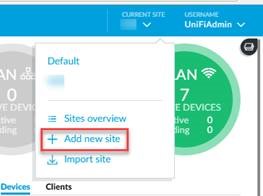
Create a new site on the new controller that is named the same as the old site (if one was used) by clicking the Current Site drop-down menu and selecting the Add New Site selection.
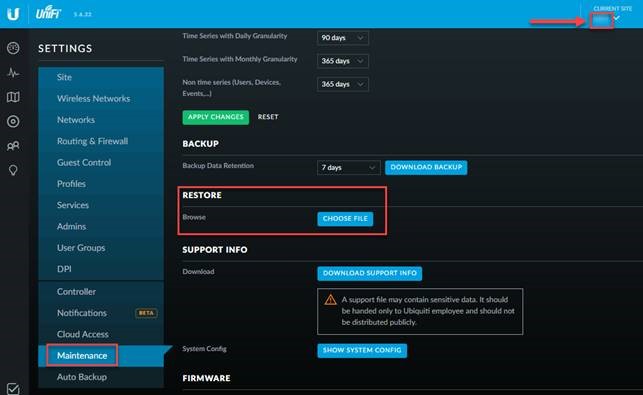
Once the new site has been created the backup can be restored. Ensure that the correct site is selecting in the Current Site drop-down menu in the upper right-hand corner of the web page. Navigate to Settings, Maintenance, Restore, and click the Choose File button. Browse to the backup transferred from the source controller and follow the prompts to restore the configuration.
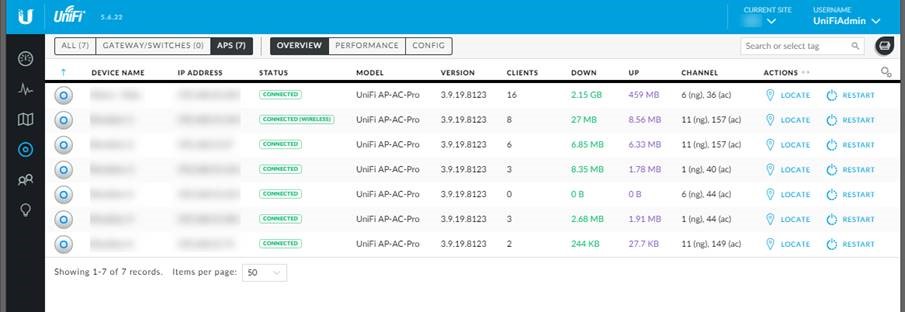
Once the controller has been restored the configurations for the Wireless Networks and the inventory of devices will be configured in the new UniFi Controller software. The access points that are connected to the same network should automatically re-associate to the new controller software “auto-magically.”
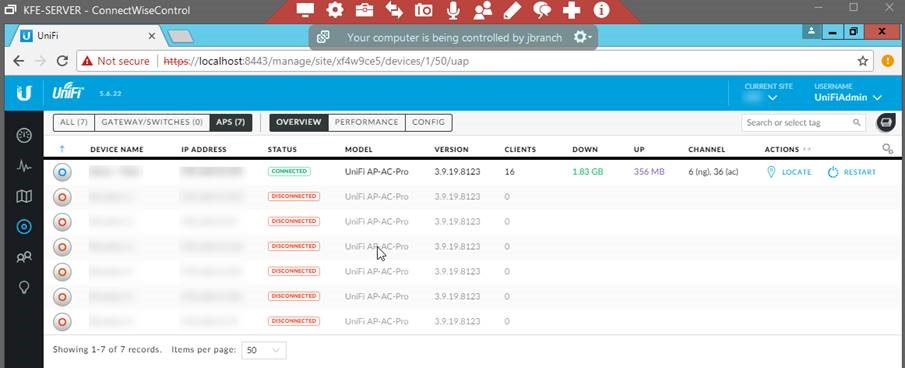
If the access points are on a different network you may need to log in to them using ssh and manually re-associate them to the new controller. The device authentication credentials can be found by navigating to Settings, Site, Device Authentication.
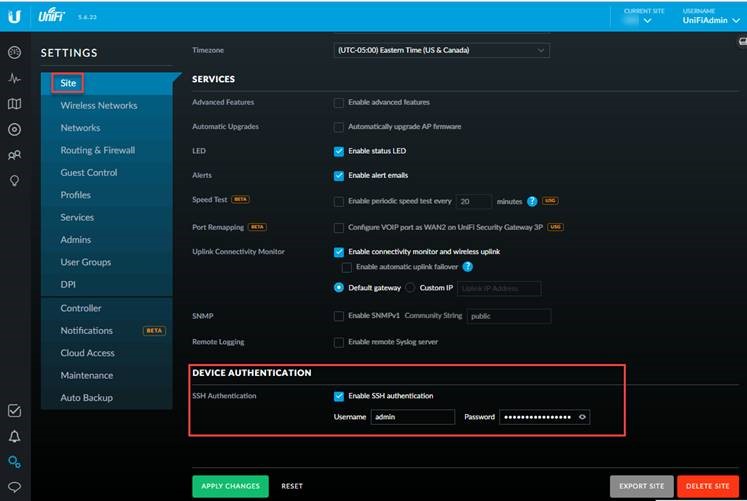
Use ssh to remotely connect to the access points using the Device Authentication credentials to log on. Issue the set-inform command using the following syntax:
set-inform http://ip_address_of target_controller:8080/inform
Understand that you may need to issue the command multiple times to complete the re-association. Once complete you will see the remaining inventory now reports to the new UniFi Controller.
What other tech areas would you like to see discussed in a blog? Have questions or concerns about your IT environment? Contact Sikich today.
This publication contains general information only and Sikich is not, by means of this publication, rendering accounting, business, financial, investment, legal, tax, or any other professional advice or services. This publication is not a substitute for such professional advice or services, nor should you use it as a basis for any decision, action or omission that may affect you or your business. Before making any decision, taking any action or omitting an action that may affect you or your business, you should consult a qualified professional advisor. In addition, this publication may contain certain content generated by an artificial intelligence (AI) language model. You acknowledge that Sikich shall not be responsible for any loss sustained by you or any person who relies on this publication.