







In recent years, we have seen more and more organizations pursuing CMMC (Cybersecurity Maturity Model Certification) compliance in order to be able to work as Department of Defense (DoD) contractors and subcontractors. CMMC compliance demonstrates that an organization has implemented robust cybersecurity measures to protect sensitive, unclassified information.
By default, no FortiGate firewall appliance, with its standard firmware installed, is FIPS-CC certified, which is a requirement for CMMC compliance. This is true even with the latest firmware update provided by Fortinet.
In this blog post, we are going to discuss how to deploy a FIPS-CC certified FortiGate firewall in your network environment to ensure your organization’s own CMMC compliance.
We are assuming the following:
- You are deploying a new FortiGate firewall.
- The FortiGate appliance has been properly registered.
- You have access to the Fortinet support site to download the latest firmware of the FortiGate appliance.
Complete the Initial Deployment of the New FortiGate
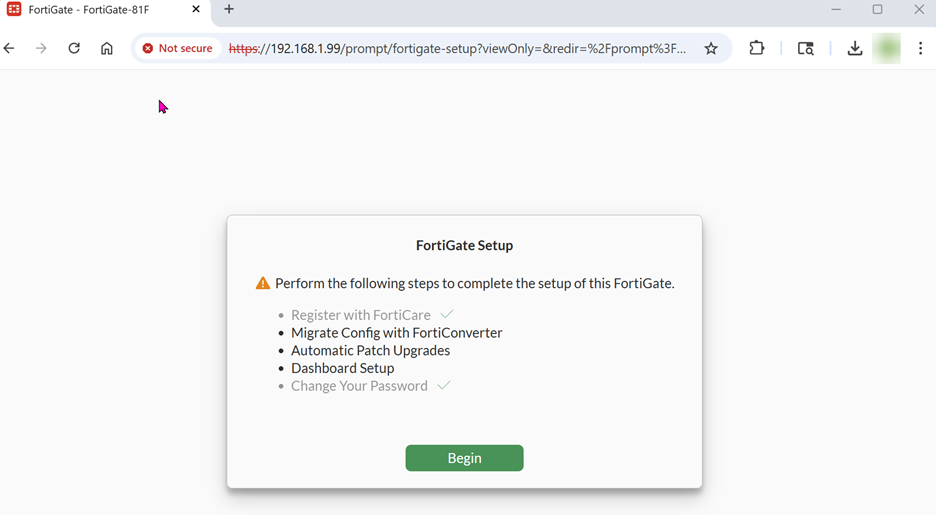
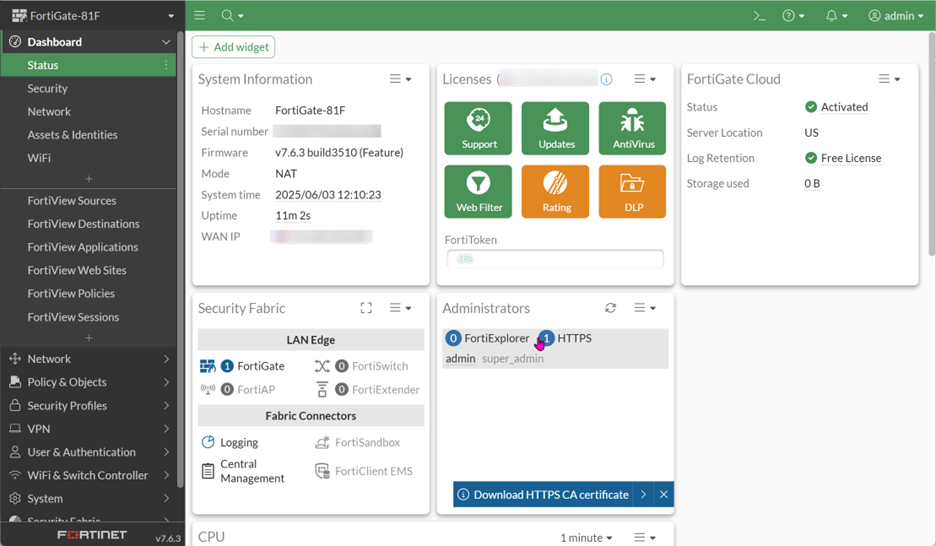
Install the FIPS-CC certified firmware
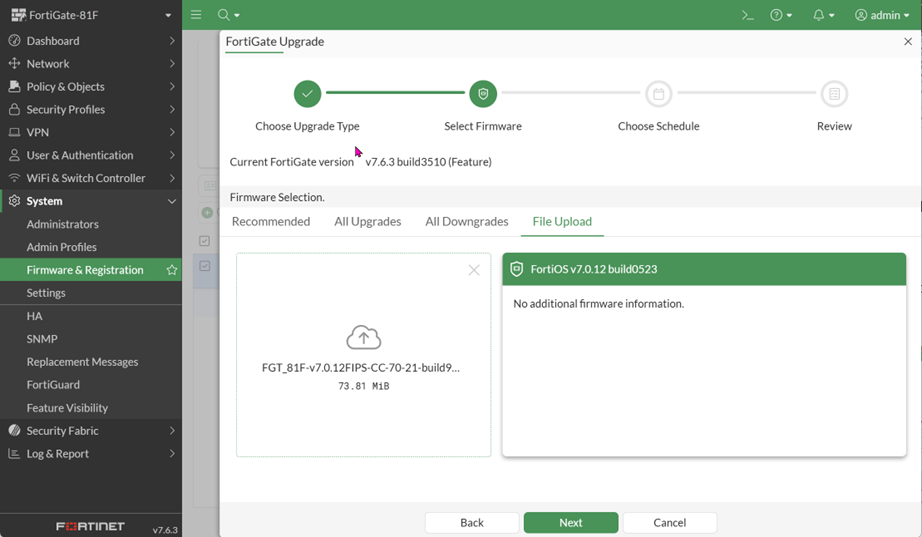
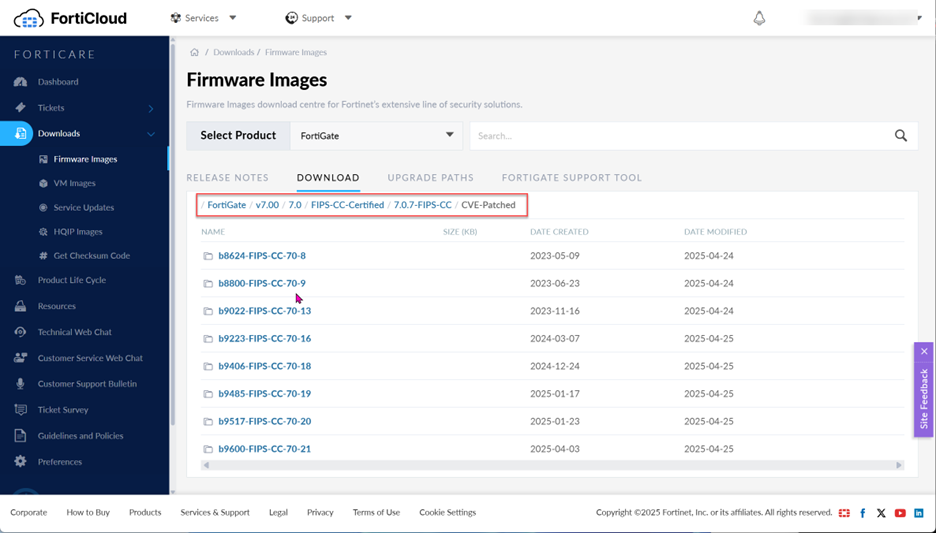
Go to the Fortinet support site and download the FIPS-CC certified firmware for the model of your FortiGate appliance.
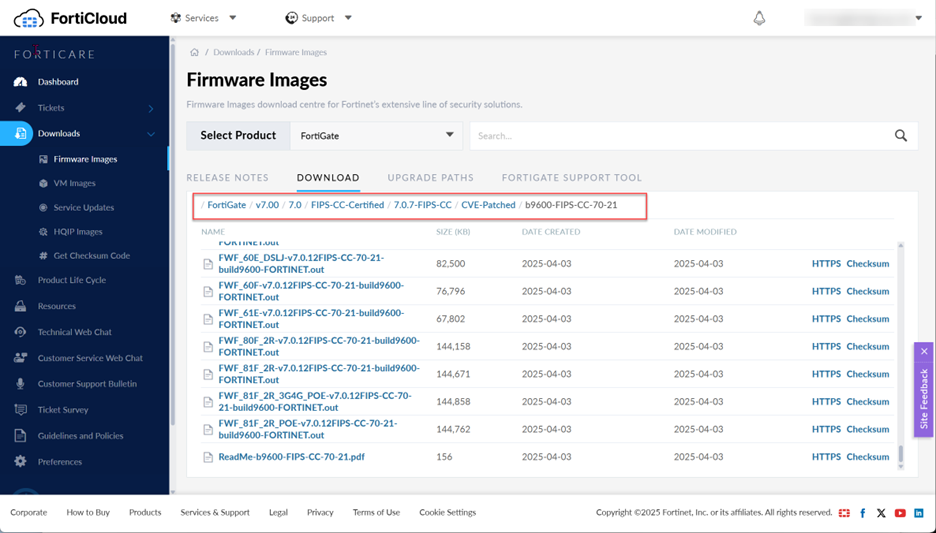
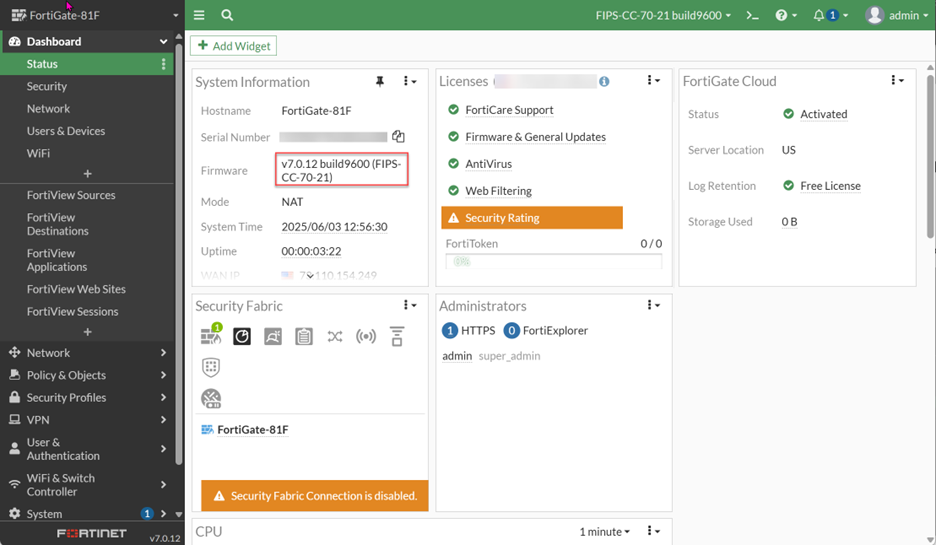
As of this writing, b9600-FIPS-CC-70-21 is the latest version of the FIPS-CC certified firmware from Fortinet.
Update the FortiGate With the Downloaded Version of the Firmware
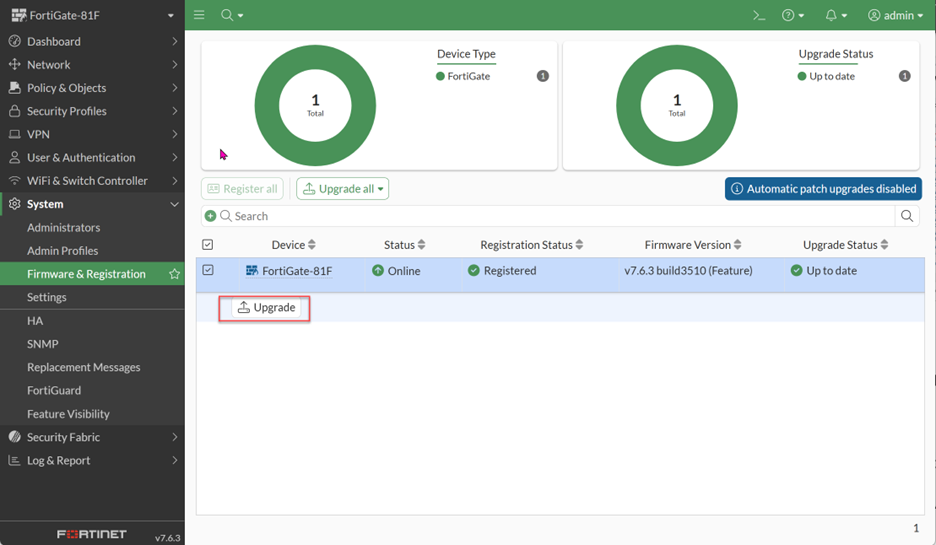
- Upload the firmware.
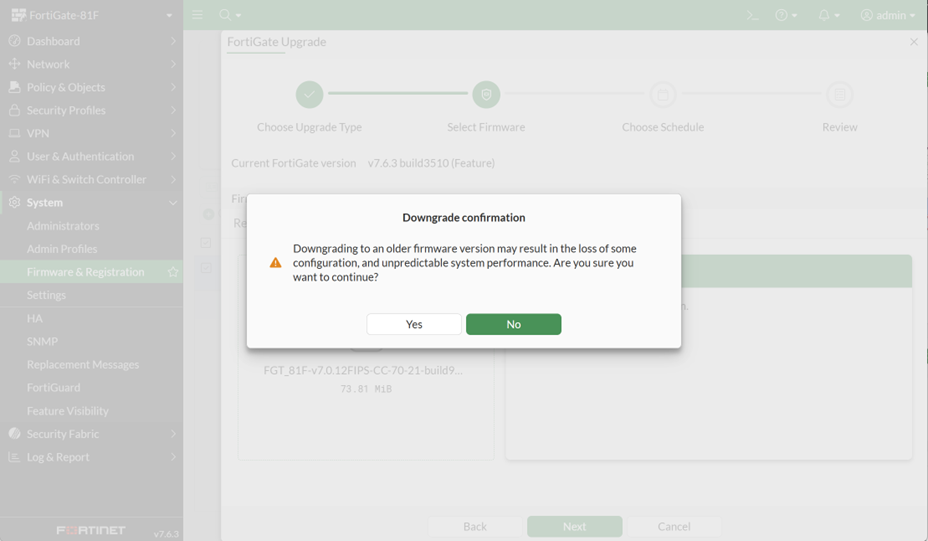
- Confirm to downgrade the firmware. Since this is a new deployment, there should be no concern about losing some configuration or unpredictable system performance issues.
-
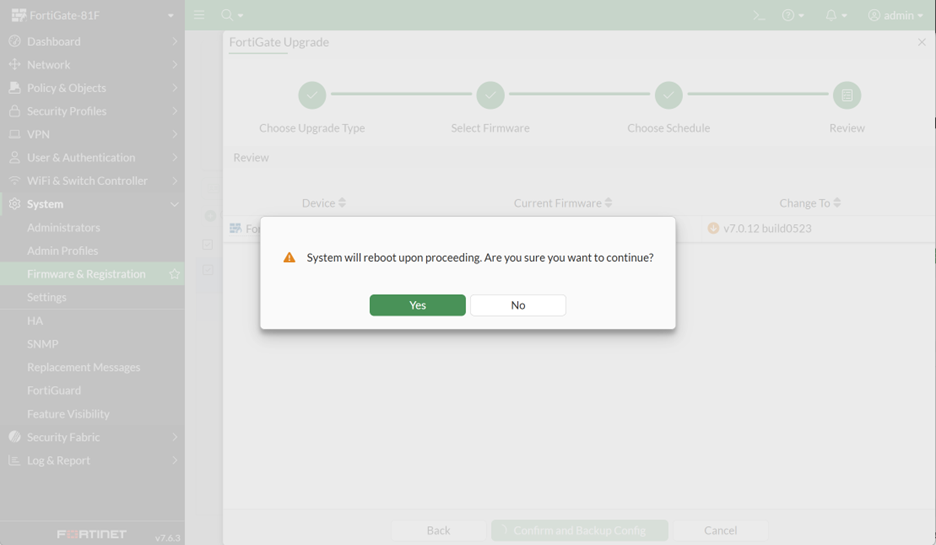
Confirm to proceed with firmware update.
The firmware update may require you to perform a factory reset of the FortiGate since the original admin password you have set may no longer work. If that is the case, follow the instructions for the model of your FortiGate to perform a factory reset.
Once you have completed the initial setup of the FortiGate after the factory reset, you have successfully upgraded your FortiGate to use FIPS-CC certified firmware, now ensuring its CMMC compliance. Congratulations!
You can proceed with additional configuration as you see fit or migrate the firewall settings from the existing firewall you are replacing.
Additional considerations
Fortinet’s current version of the FIPS-CC certified firmware is 7.0.12 (as of this writing), which is a few versions behind the latest firmware version. Per Fortinet support, there will be no new version anytime soon, because certifying a firewall to be FIPS-compliant is a lengthy process.
Make sure to disable the automatic firmware update option and ignore the firmware update request when logging into the FortiGate. The FortiGate will not prevent you from performing the firmware update, but doing so will break the FIPS-CC certified status of your firewall.
Although Fortinet does not release new updates of the FIPS-CC certified firmware frequently, they do release patches based on CVE (Common Vulnerabilities and Exposures) advisories very quickly. For this reason, make sure to check the CVE bulletins regularly and go to the Fortinet firmware download site to see if new patches are available.
In an upcoming blog post, we will discuss how to deploy a FIPS-CC certified FortiGate virtual appliance in a cloud environment. Since there is no hardware reset button to reset FortiGate firmware after downgrading the firmware, a different approach is needed to deploy a FIPS-CC certified appliance in the cloud environment. Stay tuned!
Have any questions about updating your FortiGate firewall to be FIPS-CC certified for CMMC compliance? Please reach out to our experts at any time!
This publication contains general information only and Sikich is not, by means of this publication, rendering accounting, business, financial, investment, legal, tax, or any other professional advice or services. This publication is not a substitute for such professional advice or services, nor should you use it as a basis for any decision, action or omission that may affect you or your business. Before making any decision, taking any action or omitting an action that may affect you or your business, you should consult a qualified professional advisor. In addition, this publication may contain certain content generated by an artificial intelligence (AI) language model. You acknowledge that Sikich shall not be responsible for any loss sustained by you or any person who relies on this publication.