







Well, this has got to be one of the most requested pieces of functionality, and finally, it is here. Every time I meet with a new salesperson, they ask about an app to scan business cards into Dynamics 365. Microsoft has delivered D365 business card scanning by building the functionality directly into the Sales Hub.
To access the functionality, make sure you are configured to use the Quick Create forms for contact and lead entities.
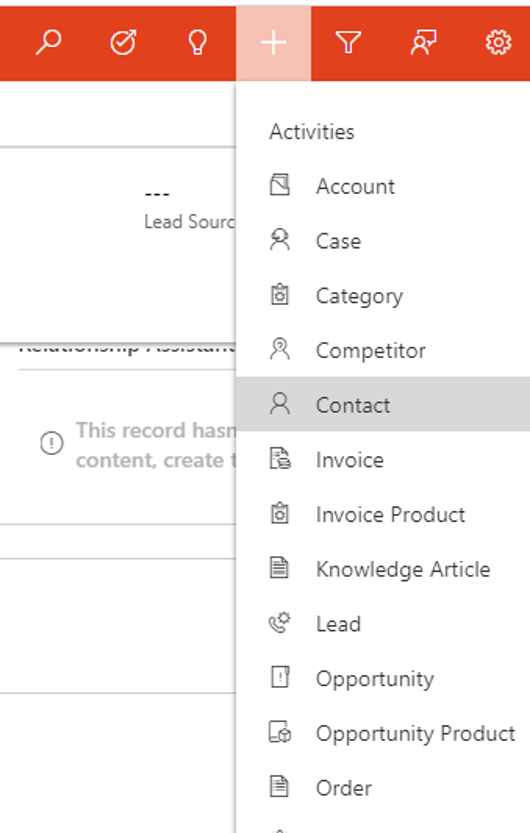
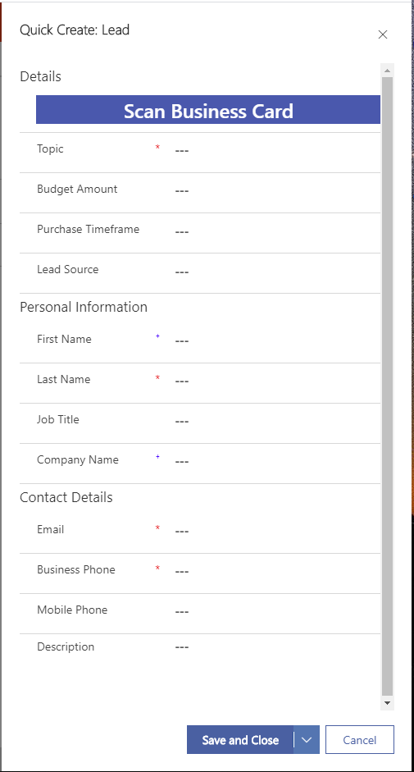
When you click on the button “Scan Business Card,” it will either activate your device’s camera control (on Mobile/Tablet), or it will open an explorer window and let you select an image. The fields are then populated on the form. Additionally, an attachment of the scanned image is appended to the new record once it is saved.
What does it look like behind the scenes? When you modify the quick create form, there is a control tied to a multi-line text field. The control is called AI Builder Business Card Control.
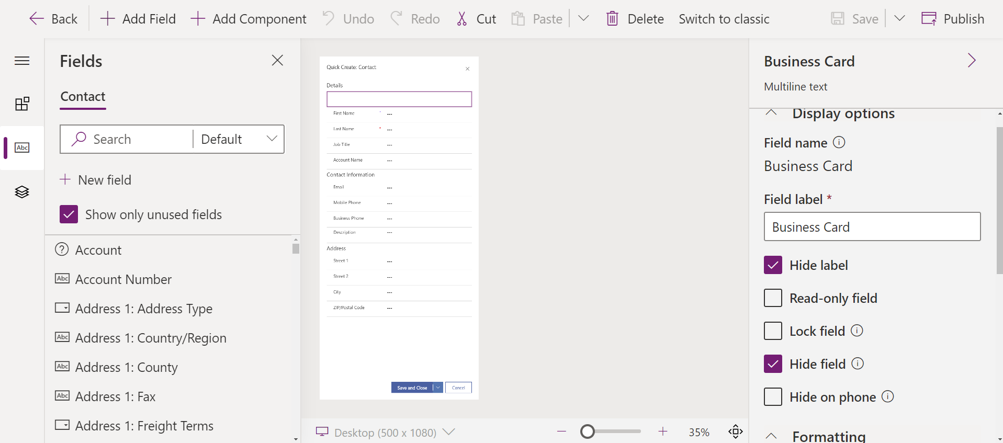
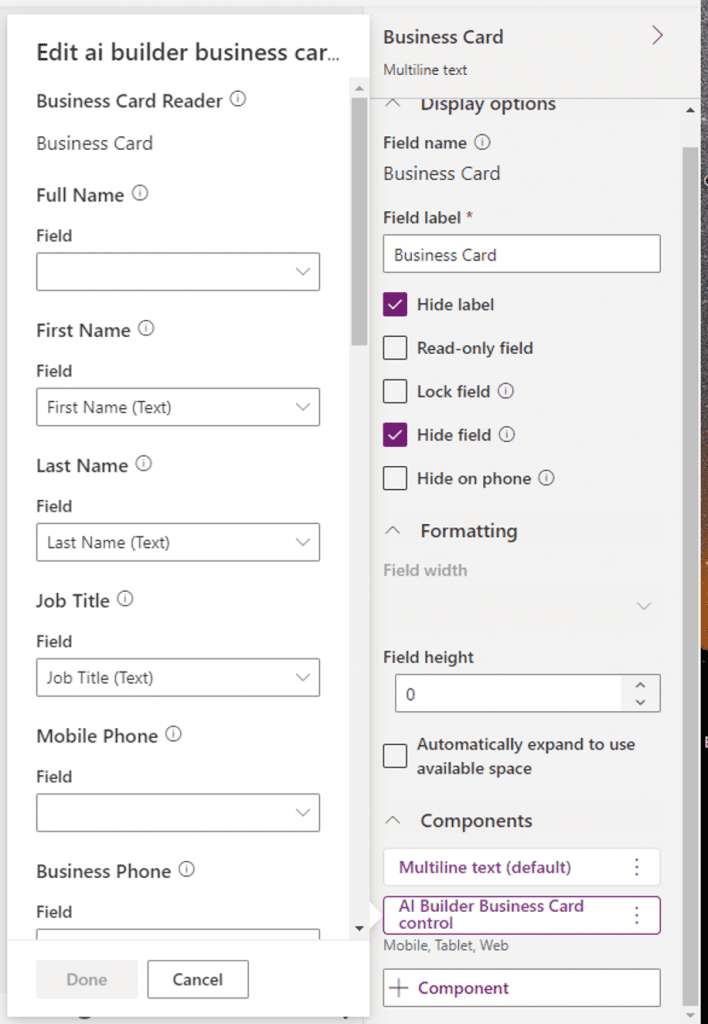
Expand Components, then select the control. Now you can customize the field mapping to your liking!
Have any questions about D365 business card scanning? Please contact our team at any time!
This publication contains general information only and Sikich is not, by means of this publication, rendering accounting, business, financial, investment, legal, tax, or any other professional advice or services. This publication is not a substitute for such professional advice or services, nor should you use it as a basis for any decision, action or omission that may affect you or your business. Before making any decision, taking any action or omitting an action that may affect you or your business, you should consult a qualified professional advisor. In addition, this publication may contain certain content generated by an artificial intelligence (AI) language model. You acknowledge that Sikich shall not be responsible for any loss sustained by you or any person who relies on this publication.