







Sales and customer service teams face an ongoing challenge: managing an overwhelming volume of data while ensuring that client relationships remain strong. Critical tasks get buried, priorities blur, and valuable client relationships risk slipping through the cracks. Sound familiar?
You’re not alone.
Salesforce users know the double-edged sword of data—having an abundance of information yet struggling to extract meaningful insights. Imagine a simple formula you can create in just minutes that serves as a key performance indicator for sales professionals, helping them regain control over their client interactions and enhance the sales approach.
From Data Overload to Actionable Insights
Strong client relationships drive business success, but without a system to track and manage engagements effectively, even the best sales teams can falter. Poor data quality and disorganized records often lead to missed follow-ups and lost opportunities. By implementing a simple formula within Salesforce, you can easily track the number of days since your last client interaction and never let an important account go cold.
This small but powerful change provides a clear view of client engagement history. Sales teams can quickly identify which accounts need attention, allowing them to proactively nurture relationships rather than reactively scramble to recover them. The ability to see when a customer was last contacted enables a more strategic, data-driven approach to sales outreach. Instead of managing data, your team can focus on meaningful conversations that build trust and drive results.
Step-by-Step Guide to Creating the Salesforce Formula to Track Client Interactions
Follow these steps to create a dynamic formula field in Salesforce that tracks the days since your last client interaction:
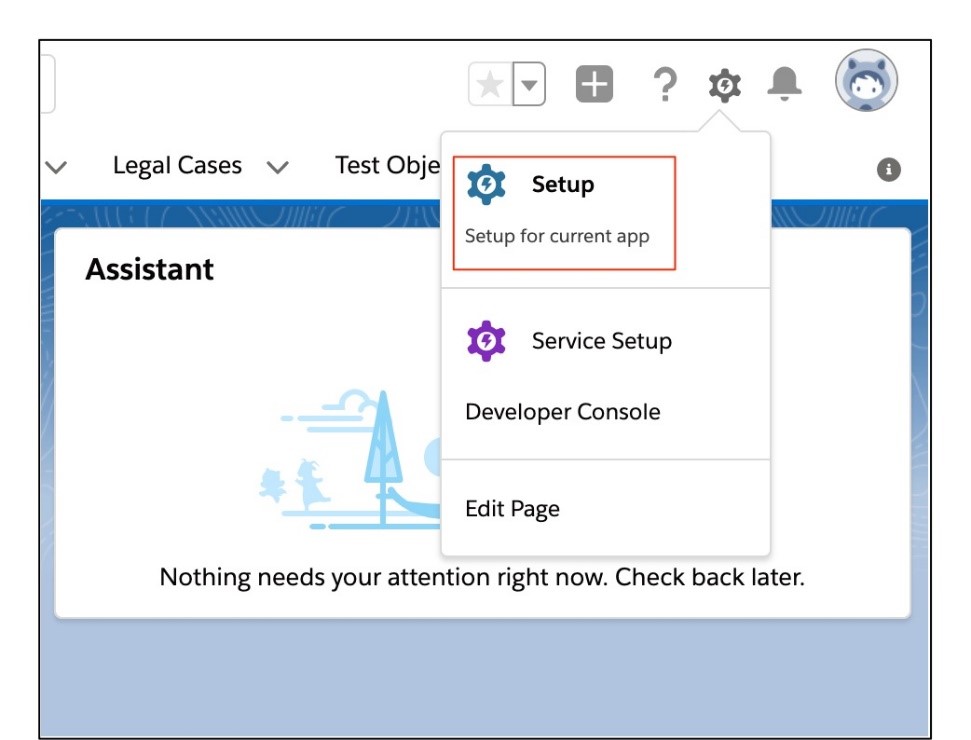
1. Click the Gear icon, then click Setup.
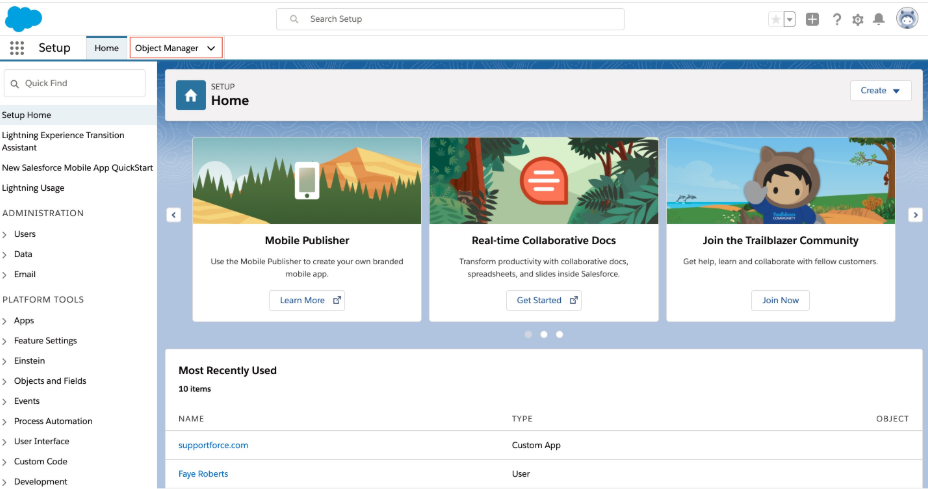
2. Navigate to the Object Manager tab.
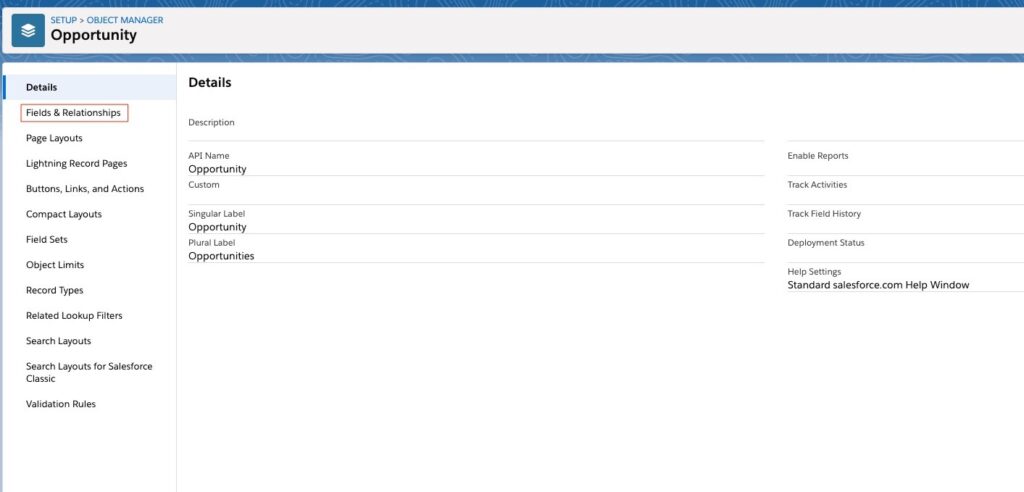
3. Choose your Object (e.g. Opportunity), then click Fields & Relationships.
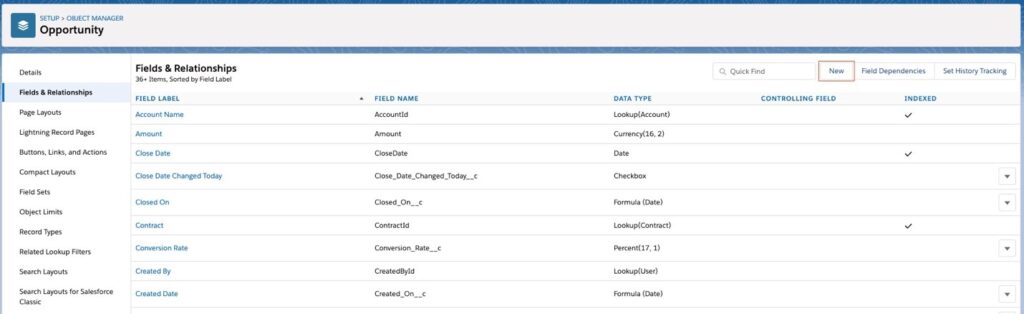
4. Click New.
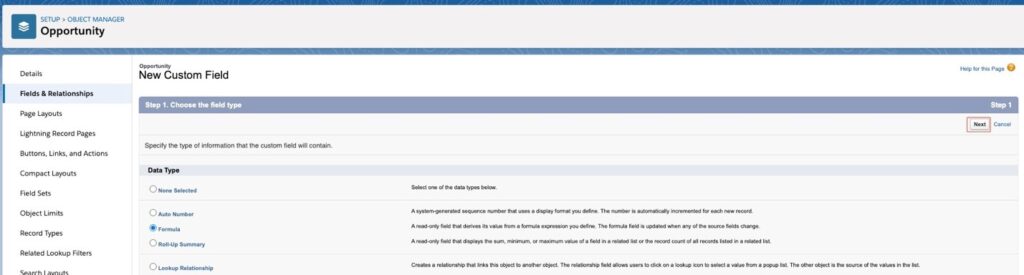
5. Set the Data Type as Formula, then click Next.
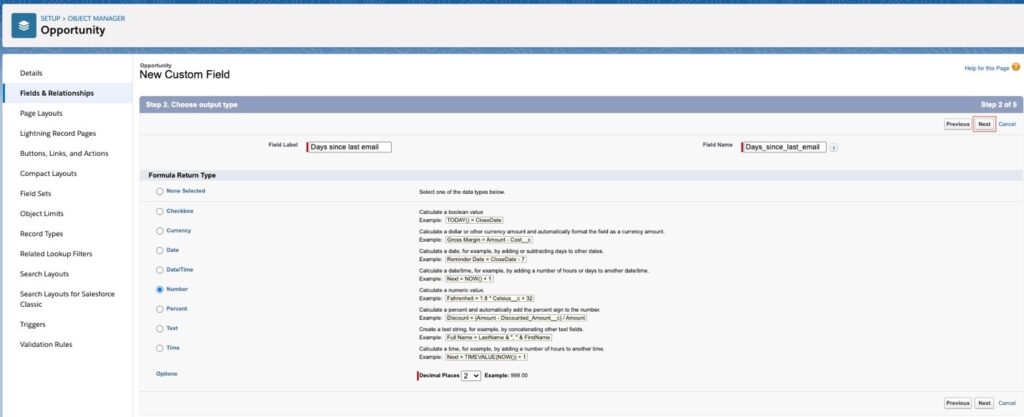
6. Name the field “Days Since Last Email,” set the Formula Return Type as Number, then click Next.
7. Enter the following formula:
IF(
   NOT(ISBLANK(LastActivityDate)),
   TODAY() - LastActivityDate,
   NULL
)
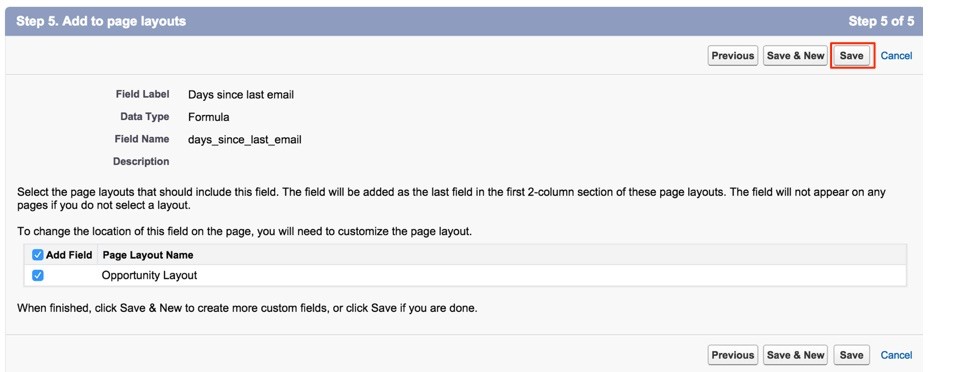
8. Click Next until you reach Step 5, then click Save.
The Sikich Difference: Expertise That Delivers Results
As a Salesforce partner since 2007, Sikich doesn’t just implement business solutions—we are a strategic partner in your digital modernization journey. Our approach goes beyond technical implementation, focusing on creating tailored strategies that drive real business success. With deep expertise in Salesforce optimization, we help businesses turn their CRM into a powerful tool for efficiency and growth.
Imagine the impact of a fully optimized Salesforce environment—where data isn’t just stored but actively drives business decisions and revenue growth. Don’t let disorganized data hold your team back.
Take control of your sales operations and ensure that every client interaction is timely and strategic. Let’s build the future of your business together. Contact our team today to get started!
This publication contains general information only and Sikich is not, by means of this publication, rendering accounting, business, financial, investment, legal, tax, or any other professional advice or services. This publication is not a substitute for such professional advice or services, nor should you use it as a basis for any decision, action or omission that may affect you or your business. Before making any decision, taking any action or omitting an action that may affect you or your business, you should consult a qualified professional advisor. In addition, this publication may contain certain content generated by an artificial intelligence (AI) language model. You acknowledge that Sikich shall not be responsible for any loss sustained by you or any person who relies on this publication.